Changelog
Follow new updates and improvements to QuickWhisper - lightning-fast and accurate transcriptions.
May 19th, 2026
We're excited to announce QuickWhisper 1.28, featuring a redesigned main interface, powerful organizational tools, expanded voice model options, and workflow enhancements!
New Features
Related Transcriptions
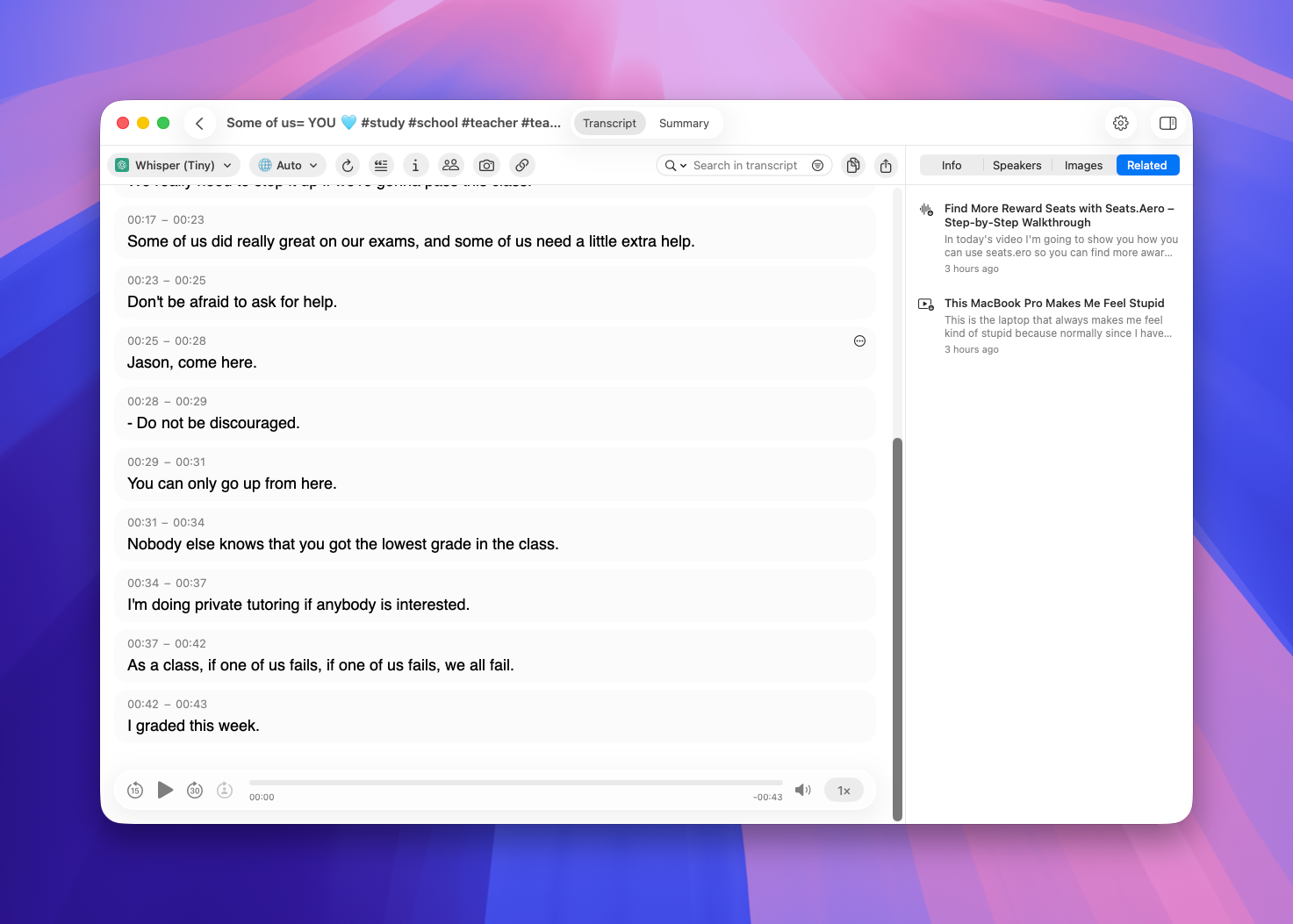
QuickWhisper now understands what your recordings are about. Every transcription you record or import is analyzed for meaning, and a new sidebar surfaces previous transcripts that are semantically similar to the one you're viewing. It's a fast way to pull up the last conversation on the same topic or revisit related notes from weeks ago.
Only recordings longer than 200 characters are indexed, so short clips won't clutter your related list.
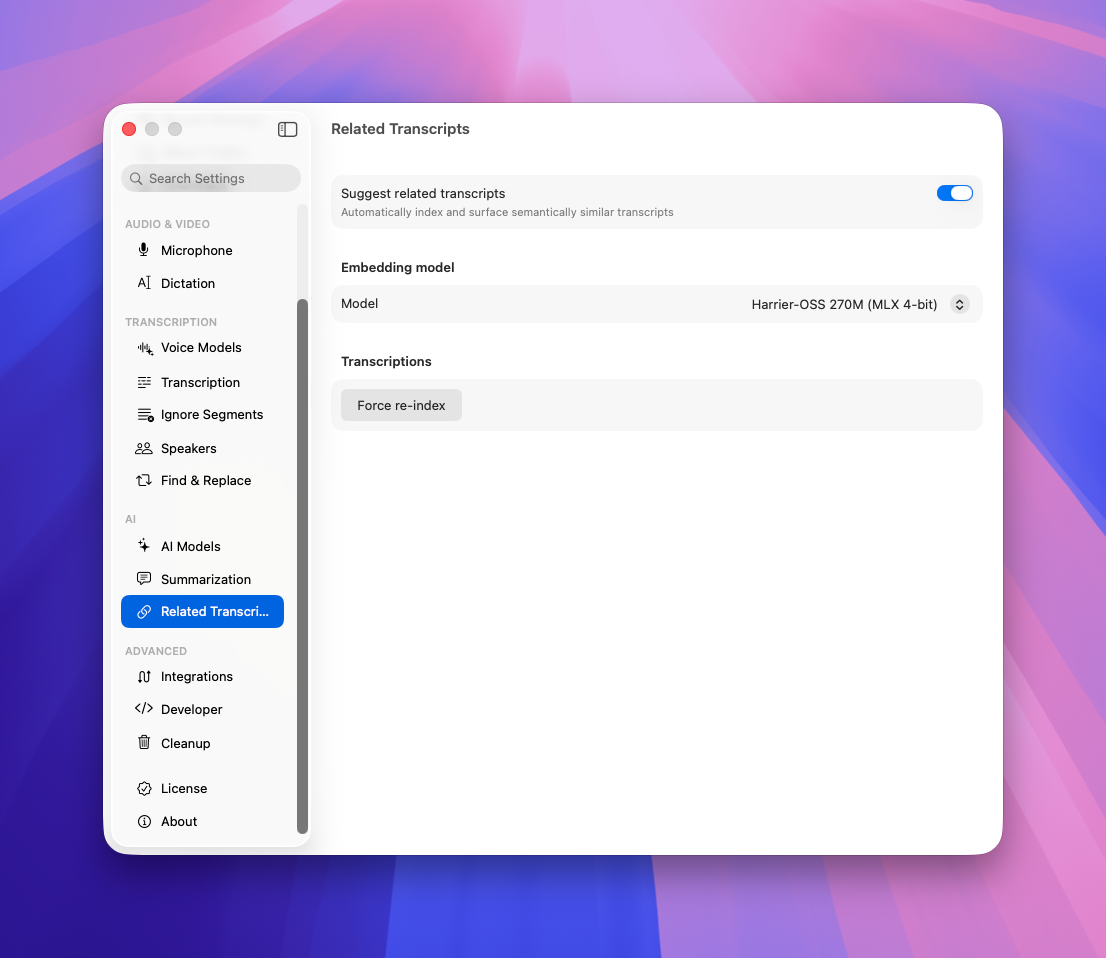
If you need to re-index your whole catalog of transcripts go to Settings → Related Transcripts → Force Re-index
Semantic Search
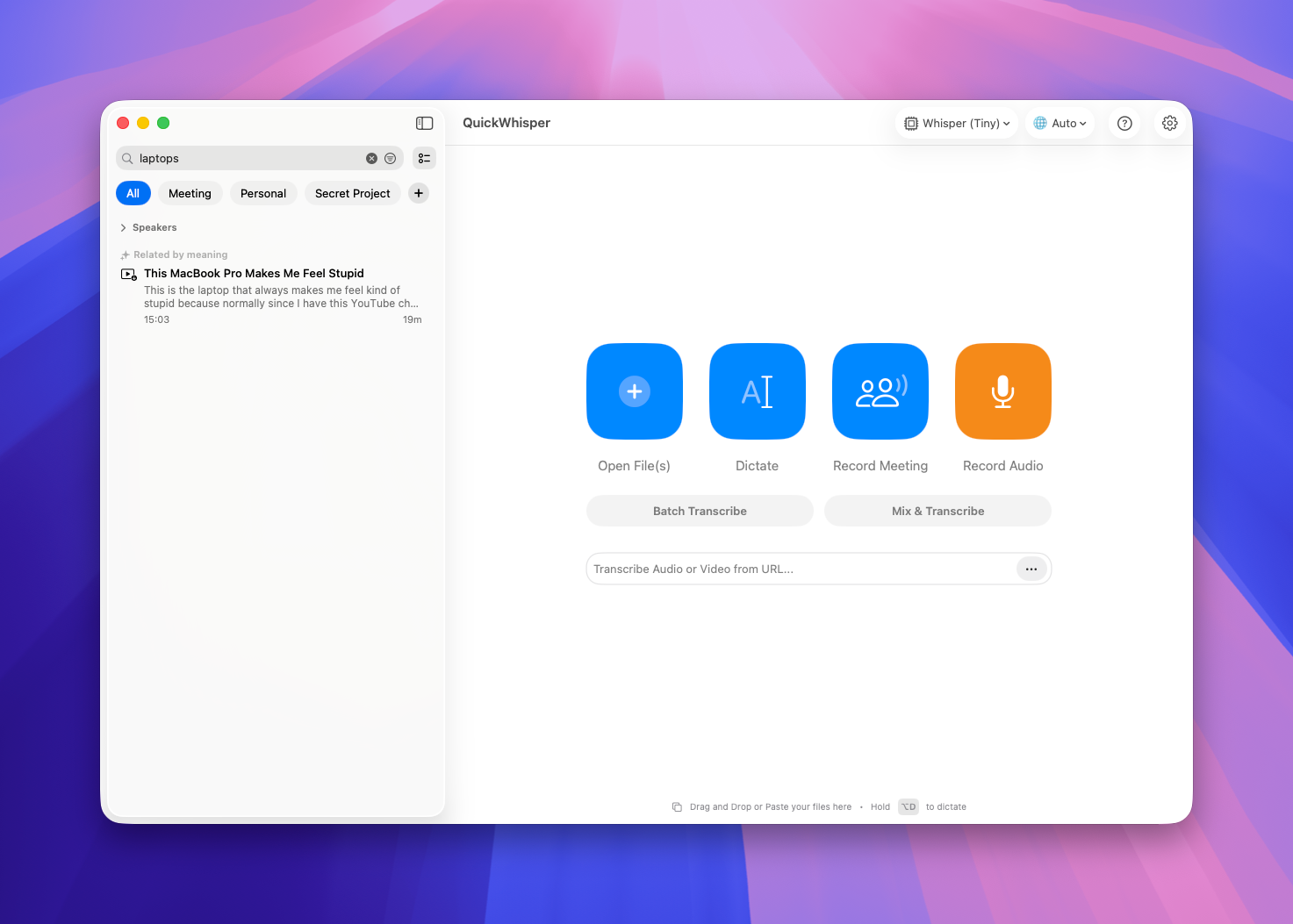
Now that your transcripts are indexed by meaning, search does more than match titles. When you search your History, QuickWhisper also looks for transcripts that are about what is inside.
This is an experimental feature, and we'd love your feedback as we refine it.
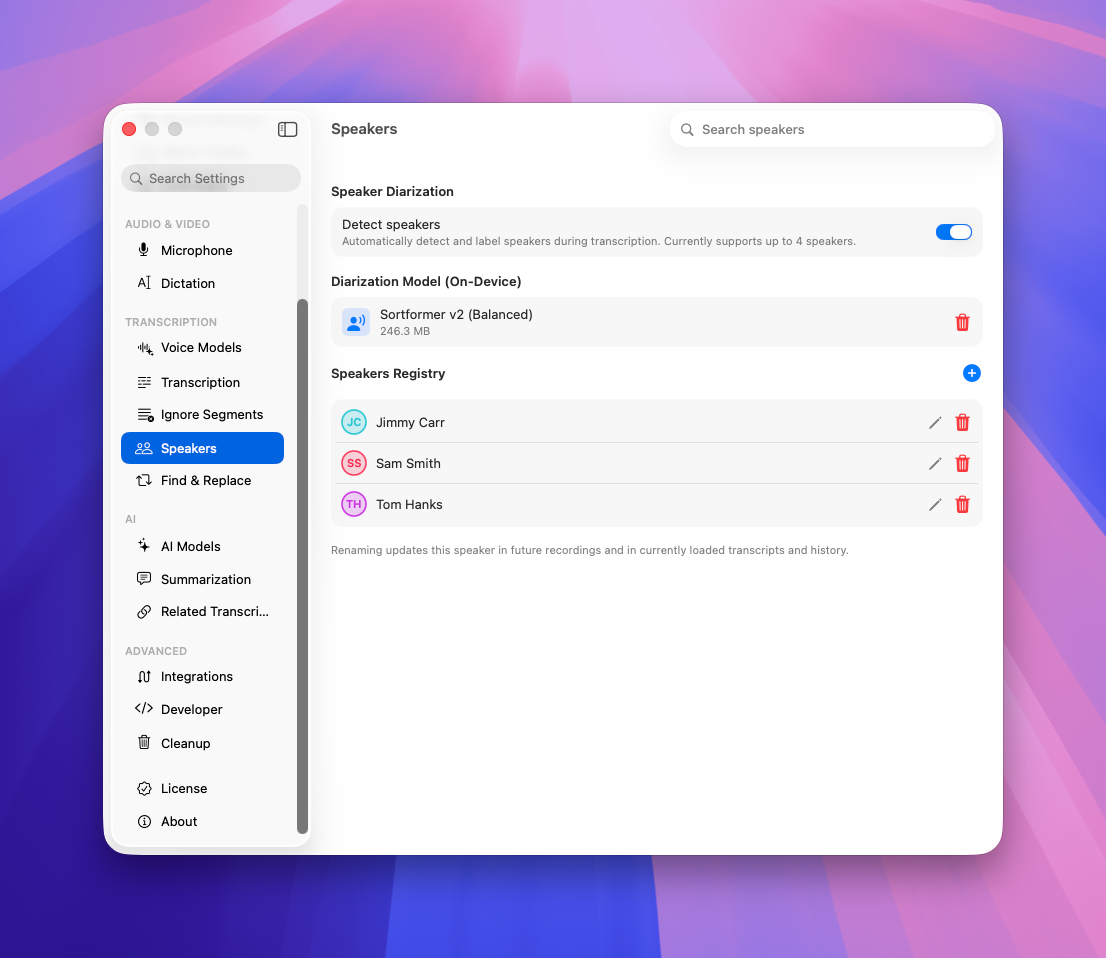
Global Speakers
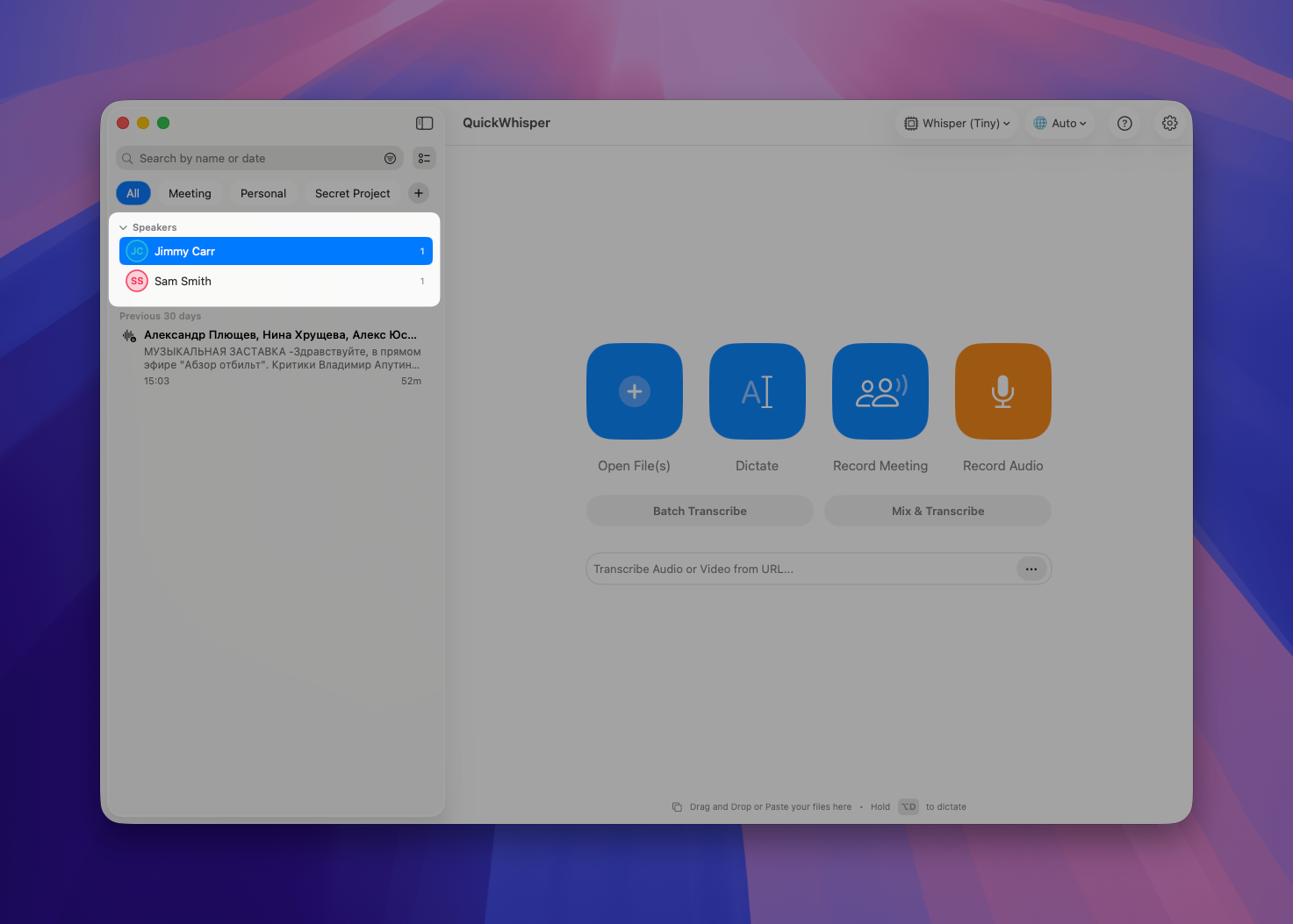
We've finished what we started with the Global Speakers list. Every speaker you add to a transcript now joins your global speakers list automatically. And in History, you can filter transcripts by the speakers they contain. If you have recurring meetings with the same people - customers, colleagues, collaborators - this filter is a real time-saver for finding every conversation with a given person.
New Cloud AI Models
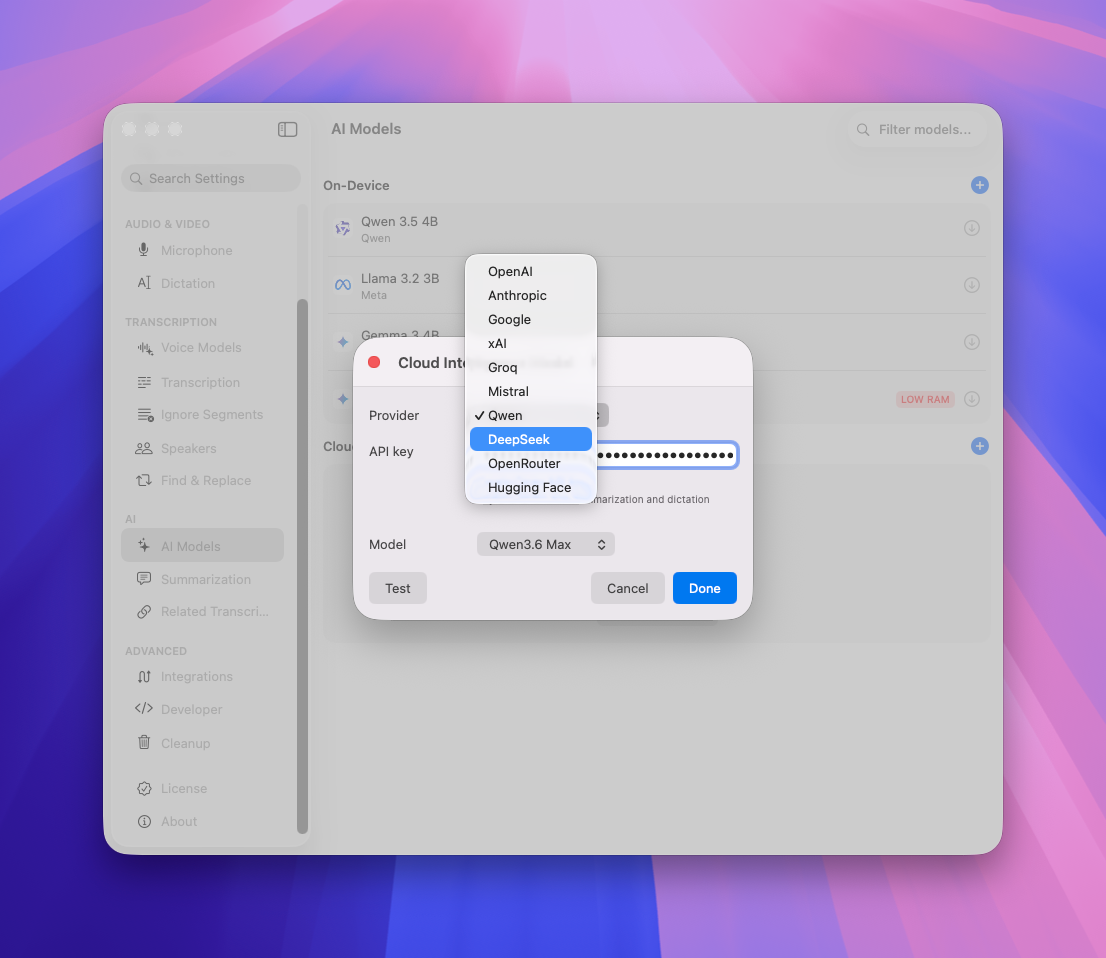
QuickWhisper now supports Qwen and DeepSeek cloud AI models. If you have an API key from them, you can use them for summarization and other AI-powered features.
As always, we're committed to making QuickWhisper better with every release. Thank you for your feedback - it shapes everything we build.
The QuickWhisper Team
May 4th, 2026

We're excited to announce QuickWhisper 1.28, featuring a redesigned main interface, powerful organizational tools, expanded voice model options, and workflow enhancements!
New Features
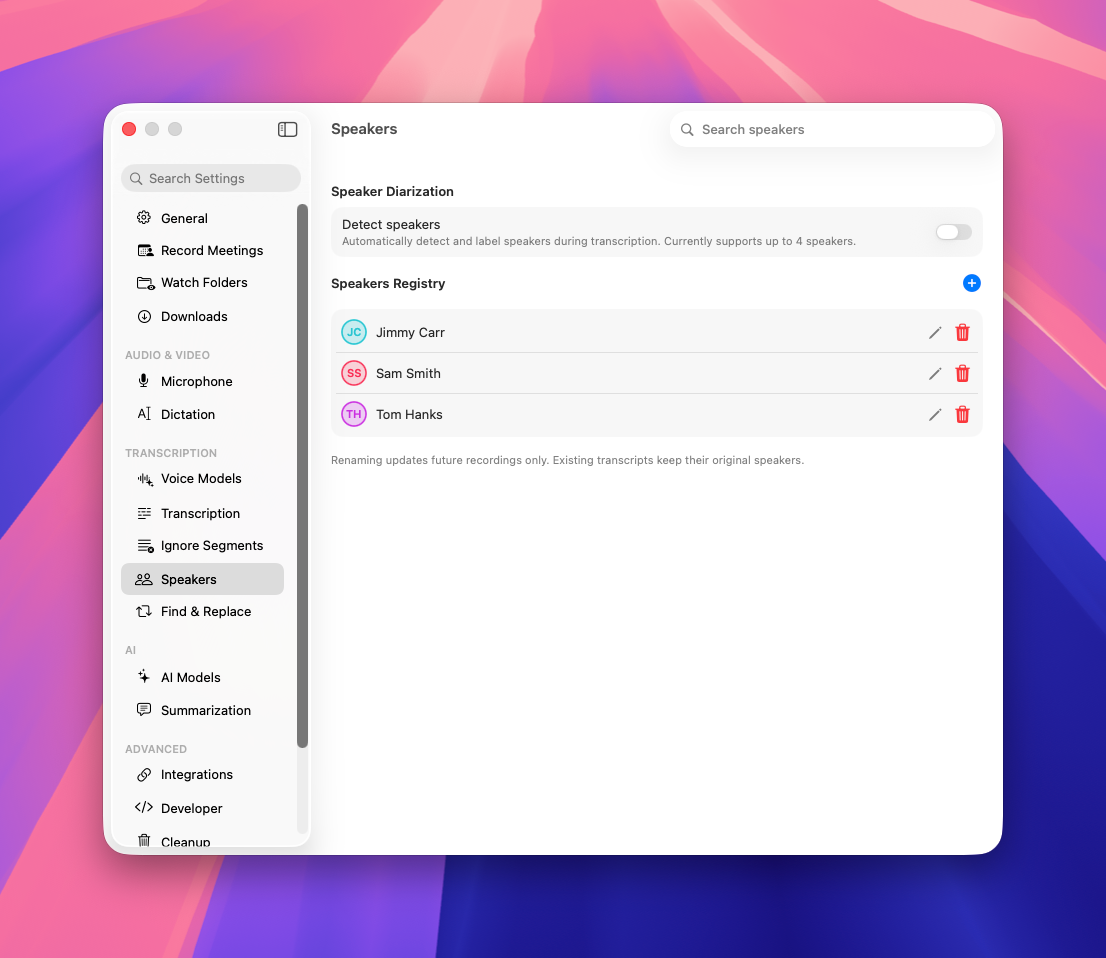
Global Speakers List
Manage speakers consistently across all transcripts with reusable global speaker profiles. You can create speakers in Settings → Speakers. To add a global speaker to the transcript, just start typing their name.
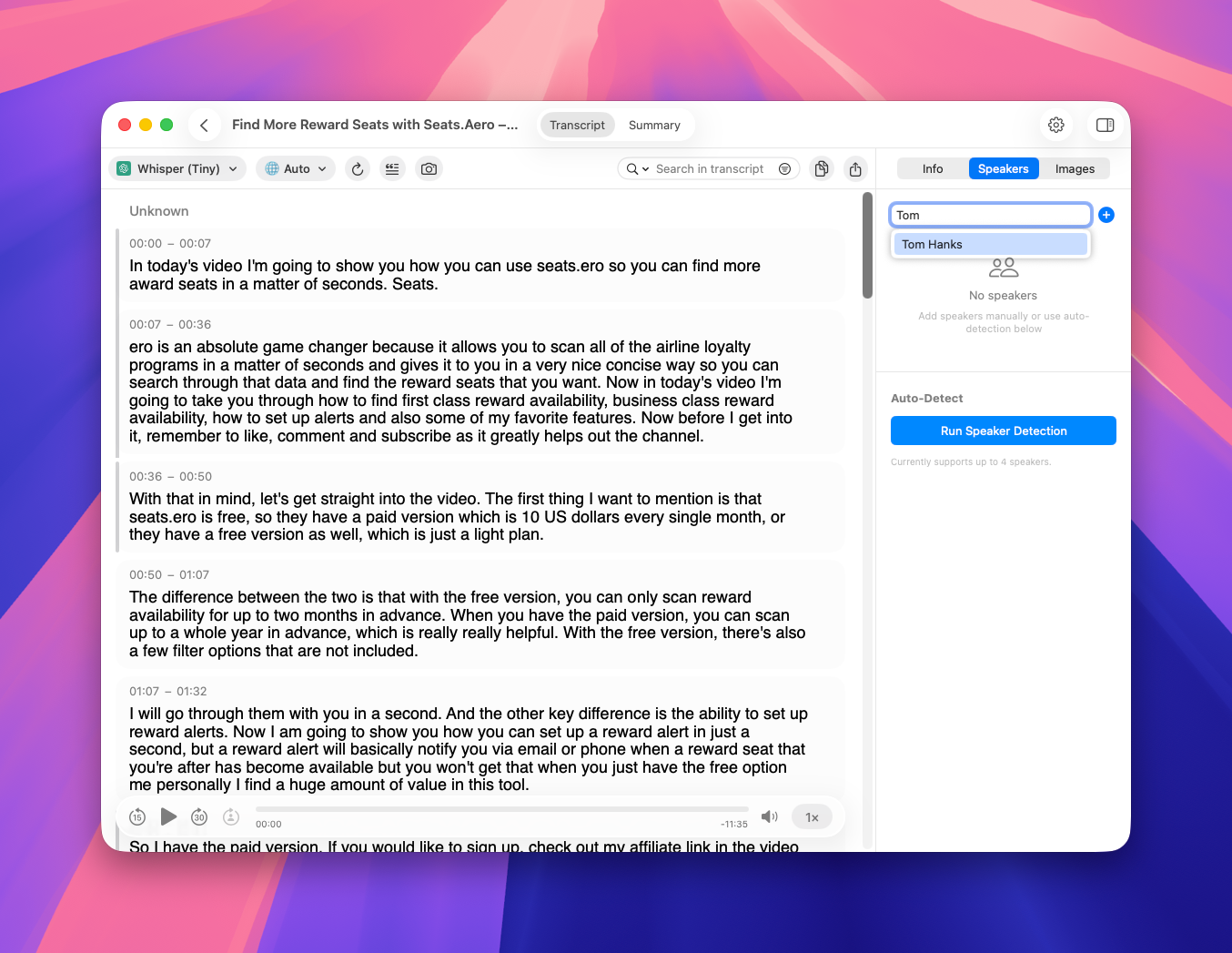
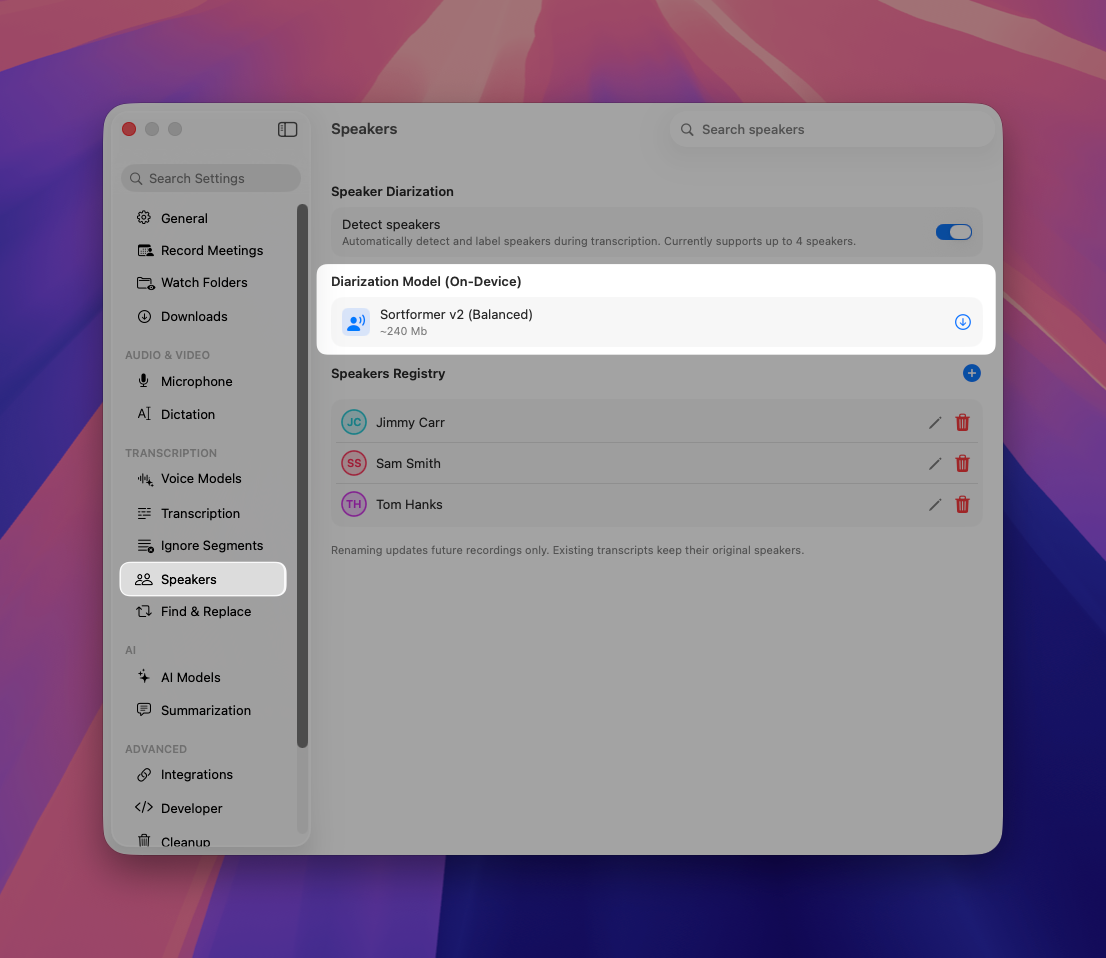
Enhanced Speaker Diarization
Experience improved speaker detection with our new Sortformer model. It supports up to 4 speakers and provides better recovery from interruptions.
New on-device AI models
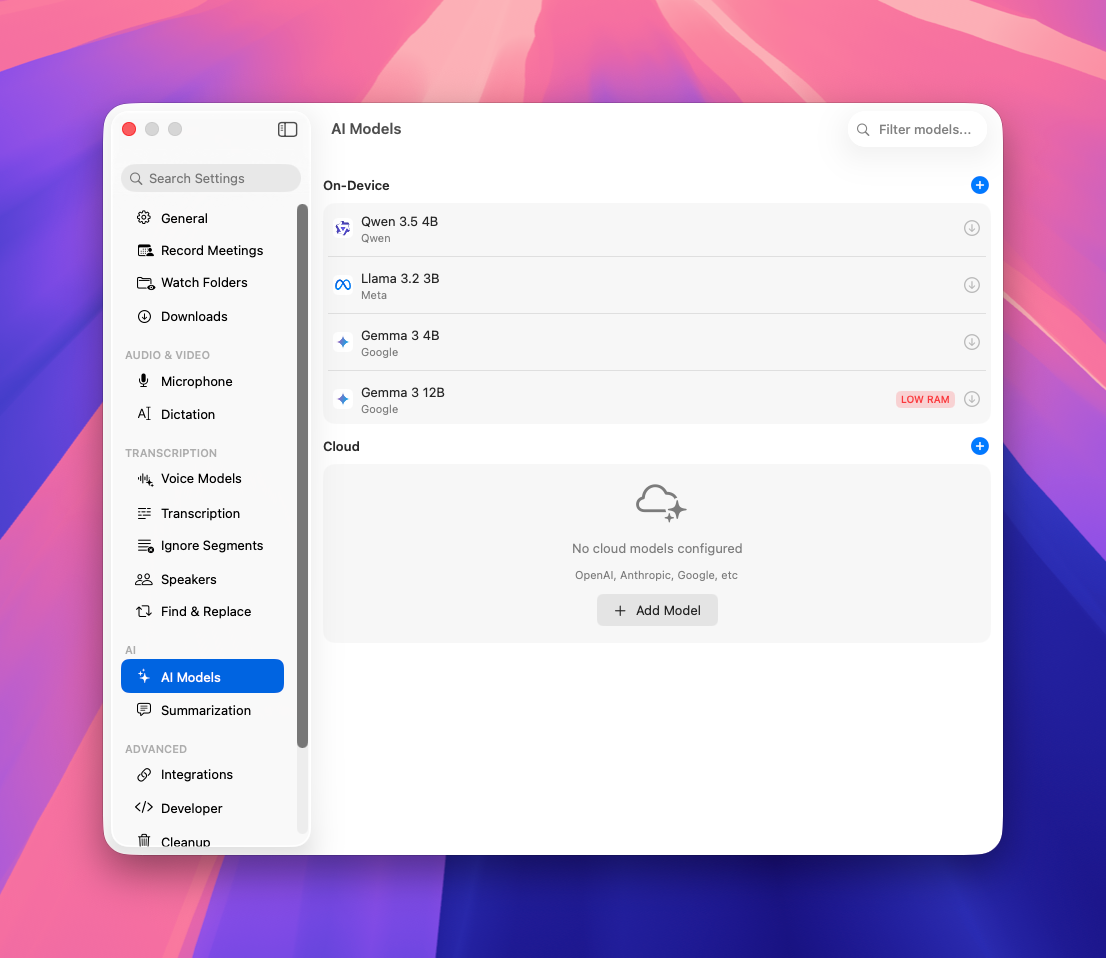
We've added 4 new AI models for summaries that you can download with one click of a button
Qwen 3.5 4B - Great for multilingual and structured summaries.
Llama 3.2 3B - Fastest and lightest for quick replies, simple rewrites.
Gemma 3 4B - Balanced speed and quality for quality summaries.
Gemma 3 12B - The most capable option for deeper reasoning, better writing quality, and more detailed answers. Requires more than 16Gb RAM.
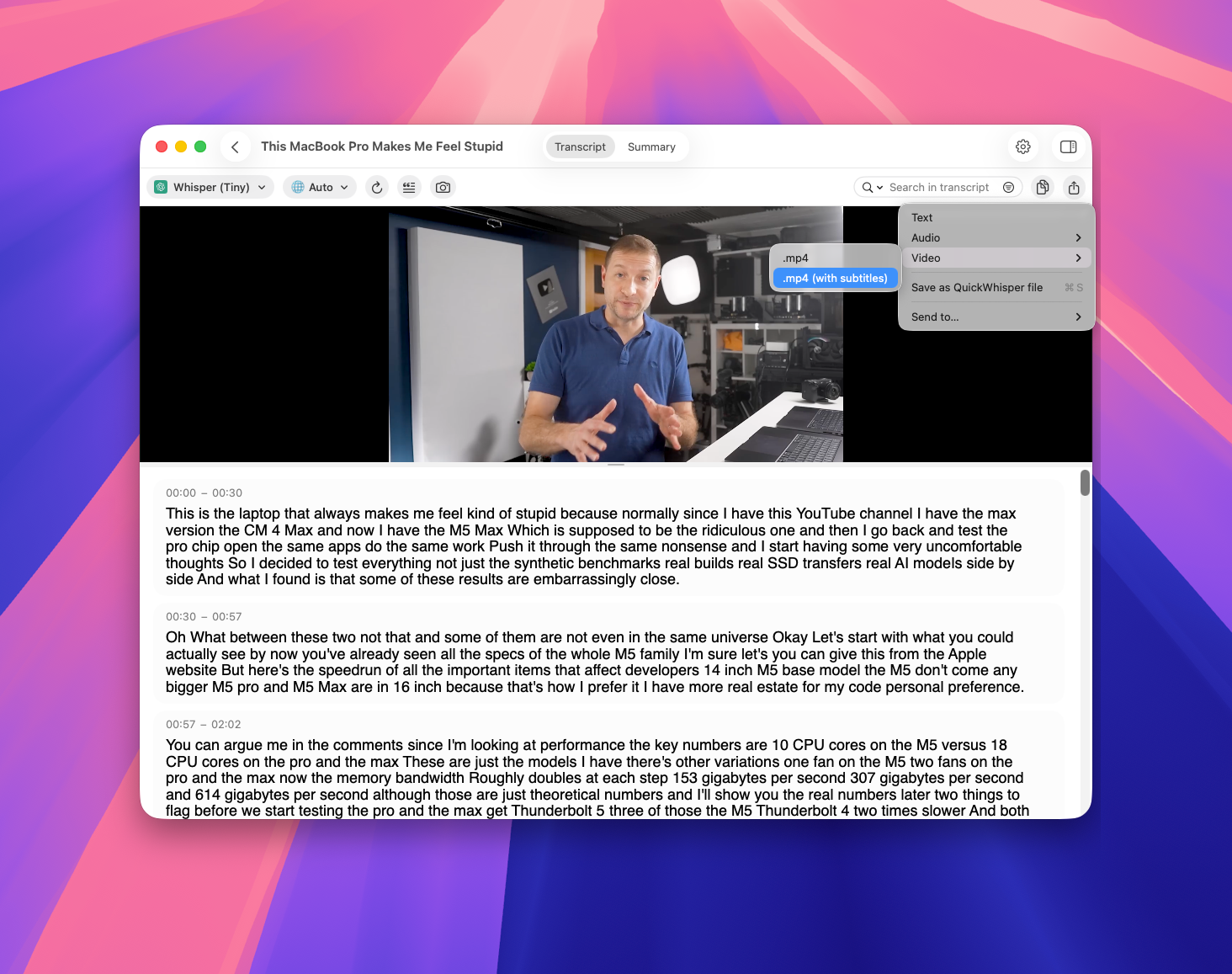
Video Subtitle Export
Create videos with embedded/burned subtitles using our new export option (experimental)
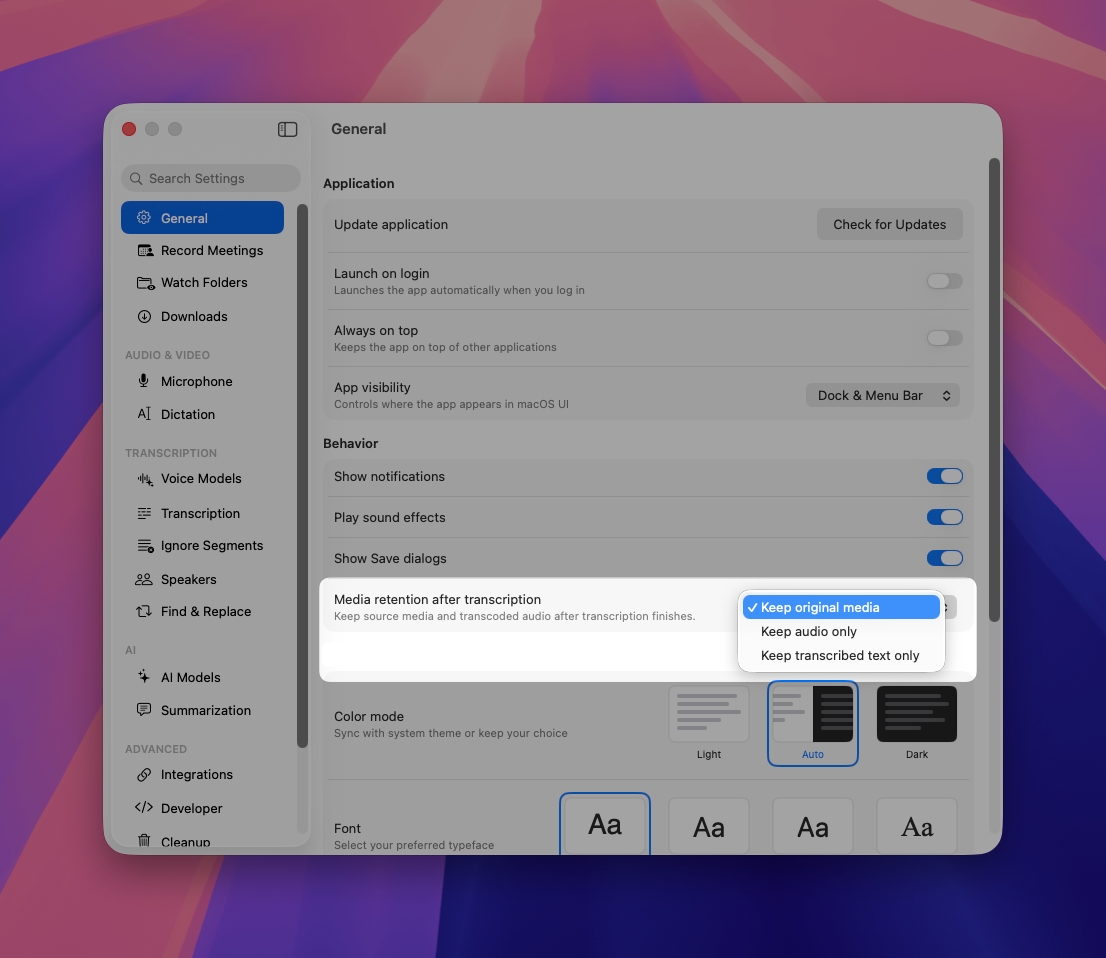
Media Retention Policy
We've improved our transcoding logic and implemented a content retention policy to minimize disk usage for new recordings while maintaining quality.
As always, we're committed to refining QuickWhisper based on your feedback. These updates reflect our focus on creating a more intuitive, powerful, and flexible transcription experience.
QuickWhisper Team
April 22nd, 2026

We're excited to announce QuickWhisper 1.27, featuring a redesigned main interface, powerful organizational tools, expanded voice model options, and workflow enhancements!
New Features
Redesigned Main Interface
We've completely reimagined the main view to surface your primary tasks:
Open File
Dictate
Record Meeting
Record Memo
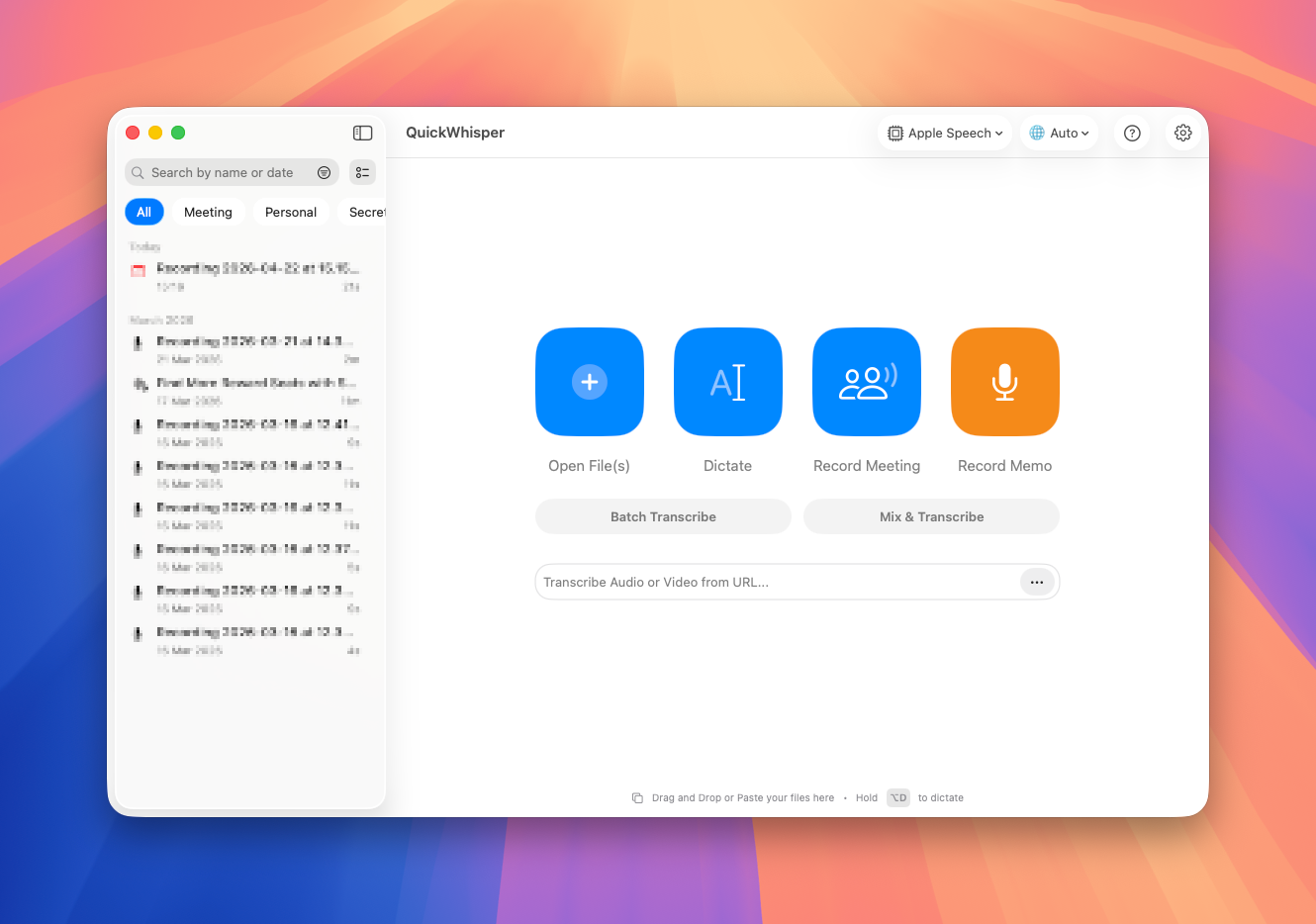
Cleaner, more intuitive layout that highlights just what you need.
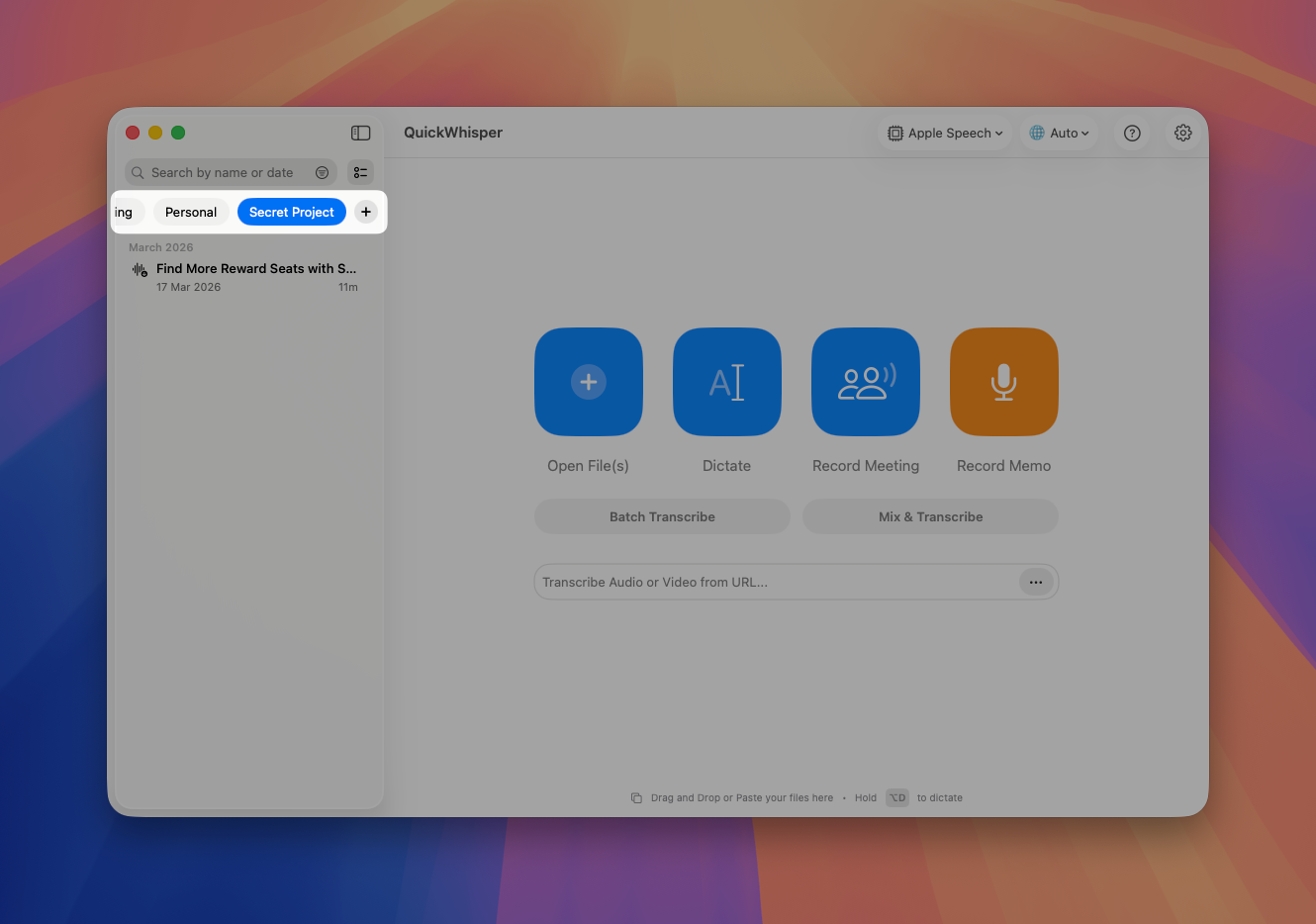
Content Tags
Bring semantic organization to your recordings and transcriptions. Now you can create custom tags like "Meetings," "Secret Project," or "Client Calls". Assign tags to you transcriptions to match you personal workflow
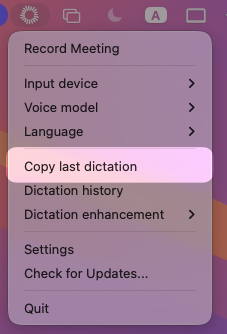
Copy Last Dictation from Menubar
Access your most recent dictation instantly. We’ve add "Copy Last Dictation" option in the menubar. No need to navigate through history when you need to quickly recover content
Auto-Minimize for Meeting Recording
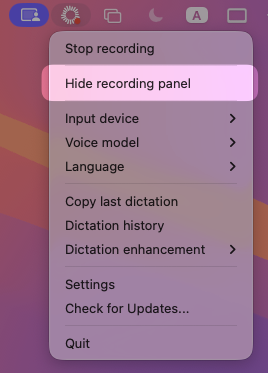
Main window automatically minimizes when starting a meeting recording. Only the floating recorder in the top-right corner remains visible (don’t worry, it is invisible during screen sharing). However, if you want to completely hide the recording panel, go to menubar and hit “Hide recording panel”
Expanded Voice Model Library
We've added three new voice models to our growing collection:
Nvidia Parakeet 110M - A lightweight, fast model optimized for English
Nvidia Nemotron - High-accuracy English transcription with excellent technical terminology recognition
Mistral Voxtral Mini - Balanced performance across multiple languages with minimal resource usage
As always, we're committed to refining QuickWhisper based on your feedback. These updates reflect our focus on creating a more intuitive, powerful, and flexible transcription experience.
The QuickWhisper Team
March 18th, 2026

We're excited to announce QuickWhisper 1.26, featuring significant improvements to recording stability, new batch operations, enhanced speaker detection, and expanded model support!
New Features
New Recording Engine
We've completely rewritten our recording engine from scratch for maximum reliability and performance. Audio is now incrementally saved to disk during recording, not just held in memory. This eliminates the risk of losing your recordings due to app crashes or macOS issues.
Bulk Deletion in History
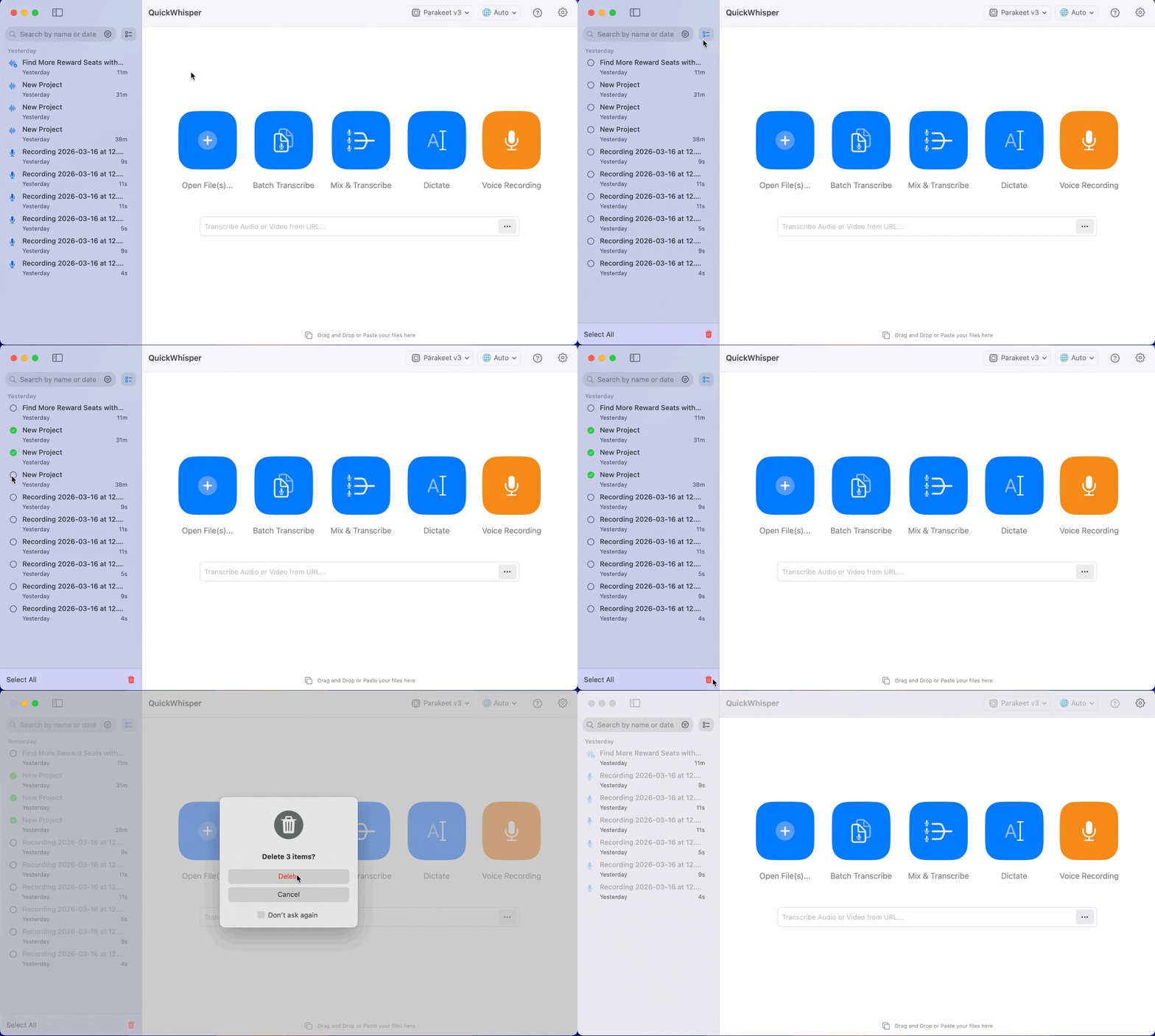
The long-awaited batch operations have arrived in the transcription history view. You can select multiple transcriptions simultaneously to delete them in bulk. No more tedious one-by-one deletions.
Hide Recording Panel
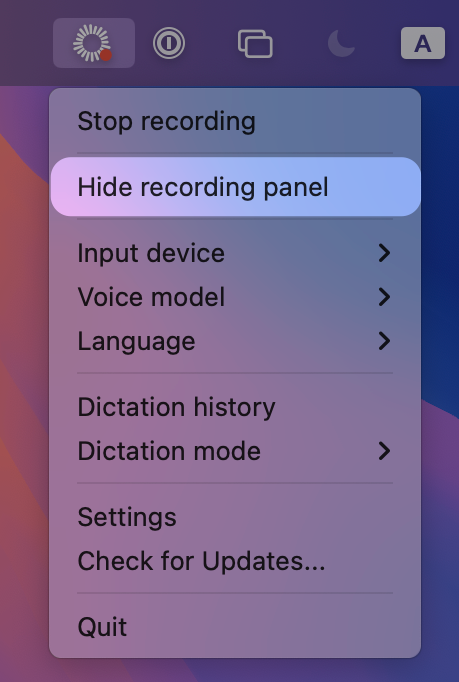
Don’t want to get unnecessary attention while you recording? You can now hide the floating recording panel for good. Simply go to QuickWhisper icon → Click on "Hide recording panel"
Qwen 3 ASR Support
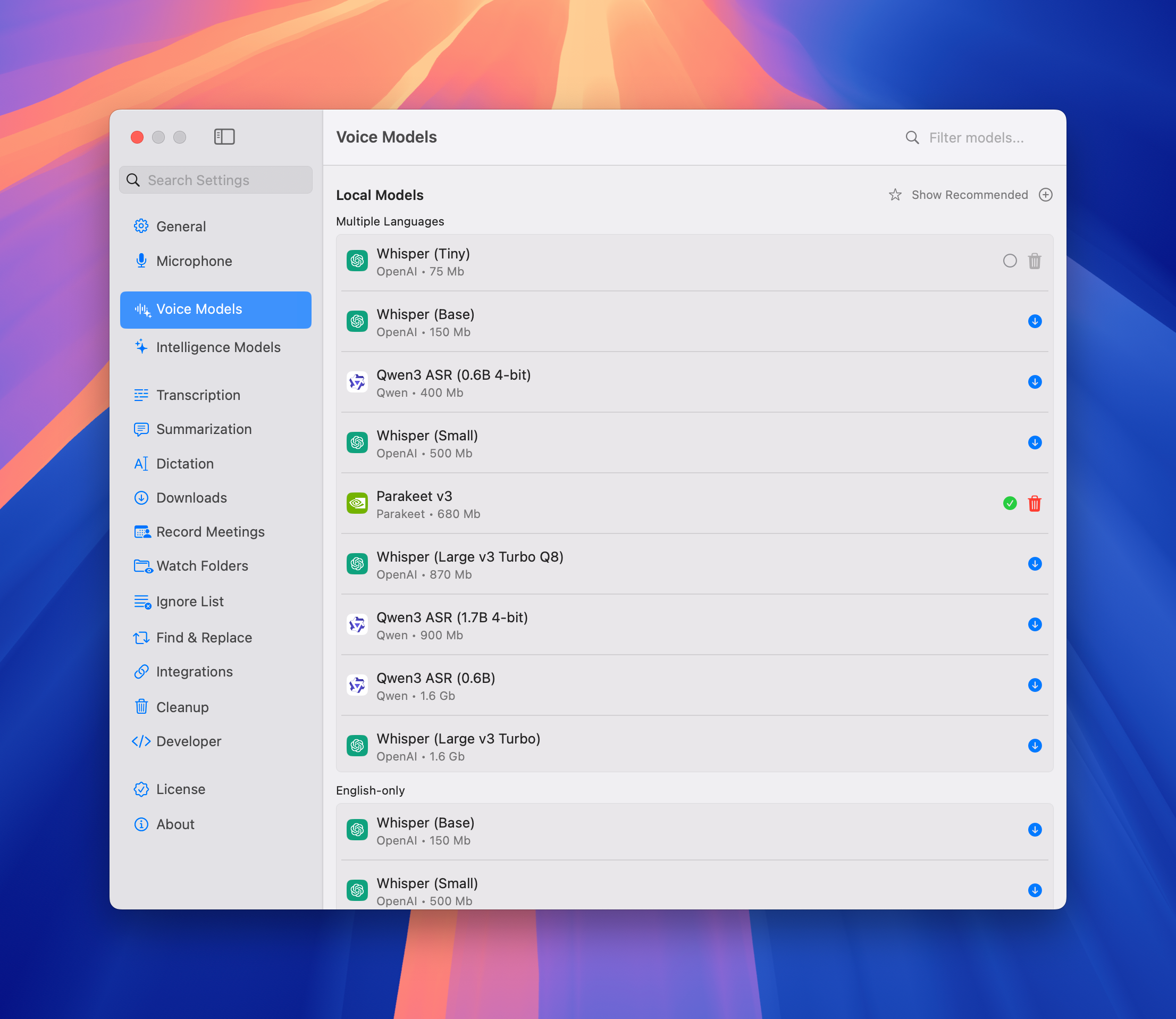
We've added support for Qwen 3 ASR models. Qwen ASR has exceptional quality with Asian languages, surpassing Whisper in many cases.
Note: While speech recognition is excellent, segment separation is not yet ideal. Perfect for users who prioritize transcription accuracy over segment boundaries.
Go to Settings → Voice Models → Local Models → Click on “Show all“ → Qwen 3 ASR
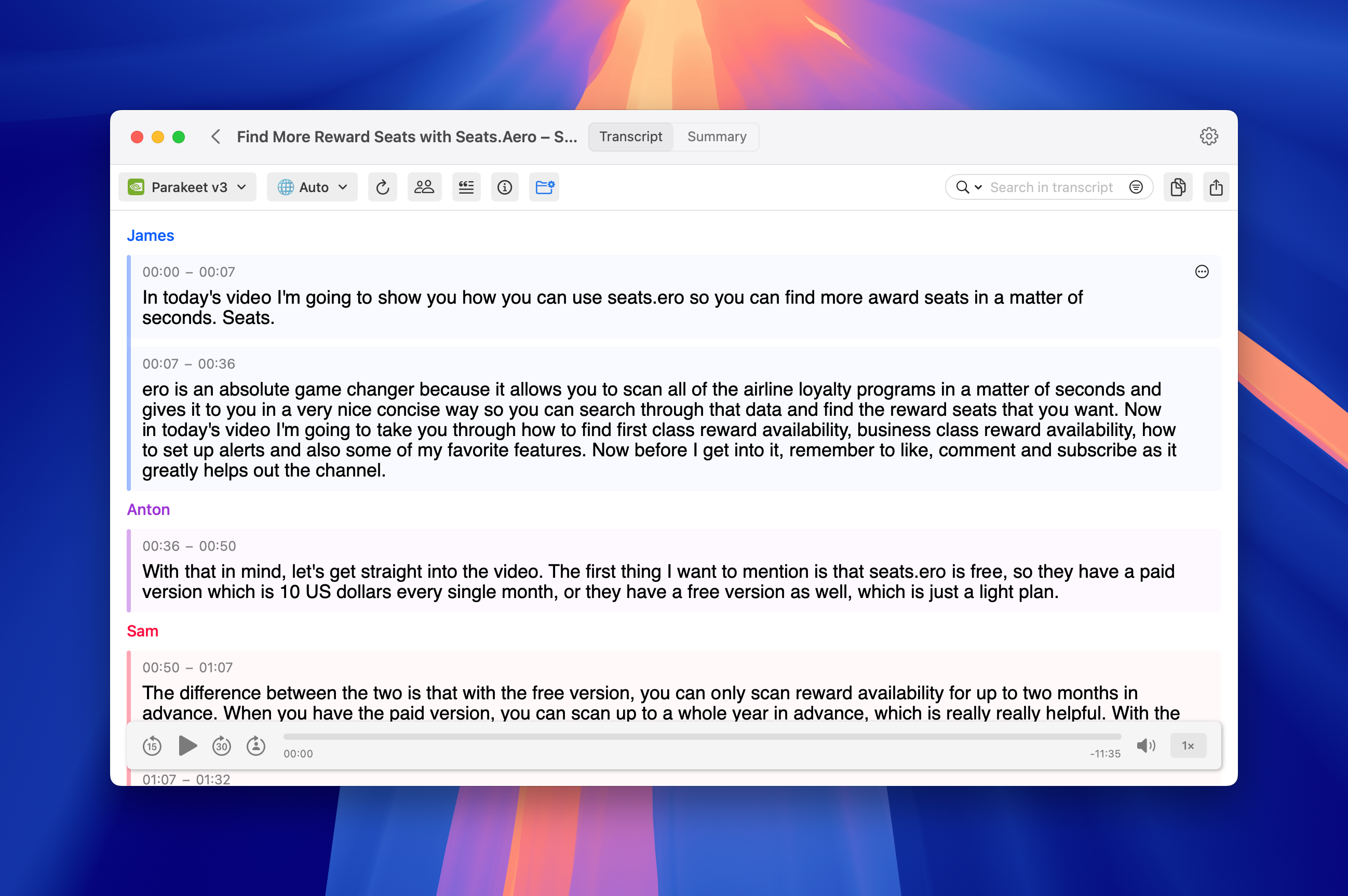
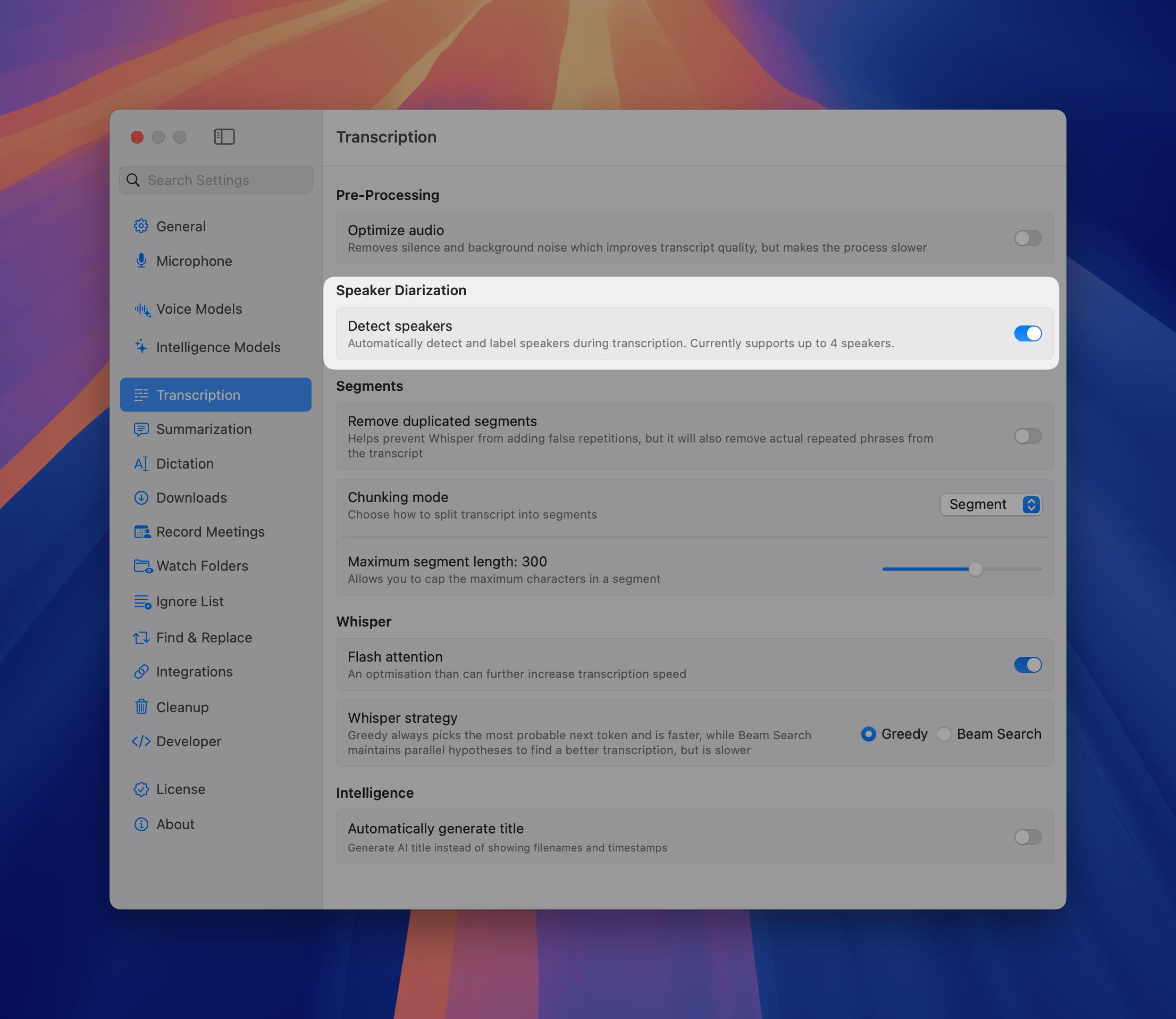
Accurate Automatic Diarization
Our diarization capabilities have been significantly improved with new sortformer-based model. It has more accurate speaker separation in complex audio environments. Also you can enable automatic diarization for all new recordings.
Go to Settings → Transcription → Detect speakers
Note: Currently diariazation supports only up to 4 distinct speakers.
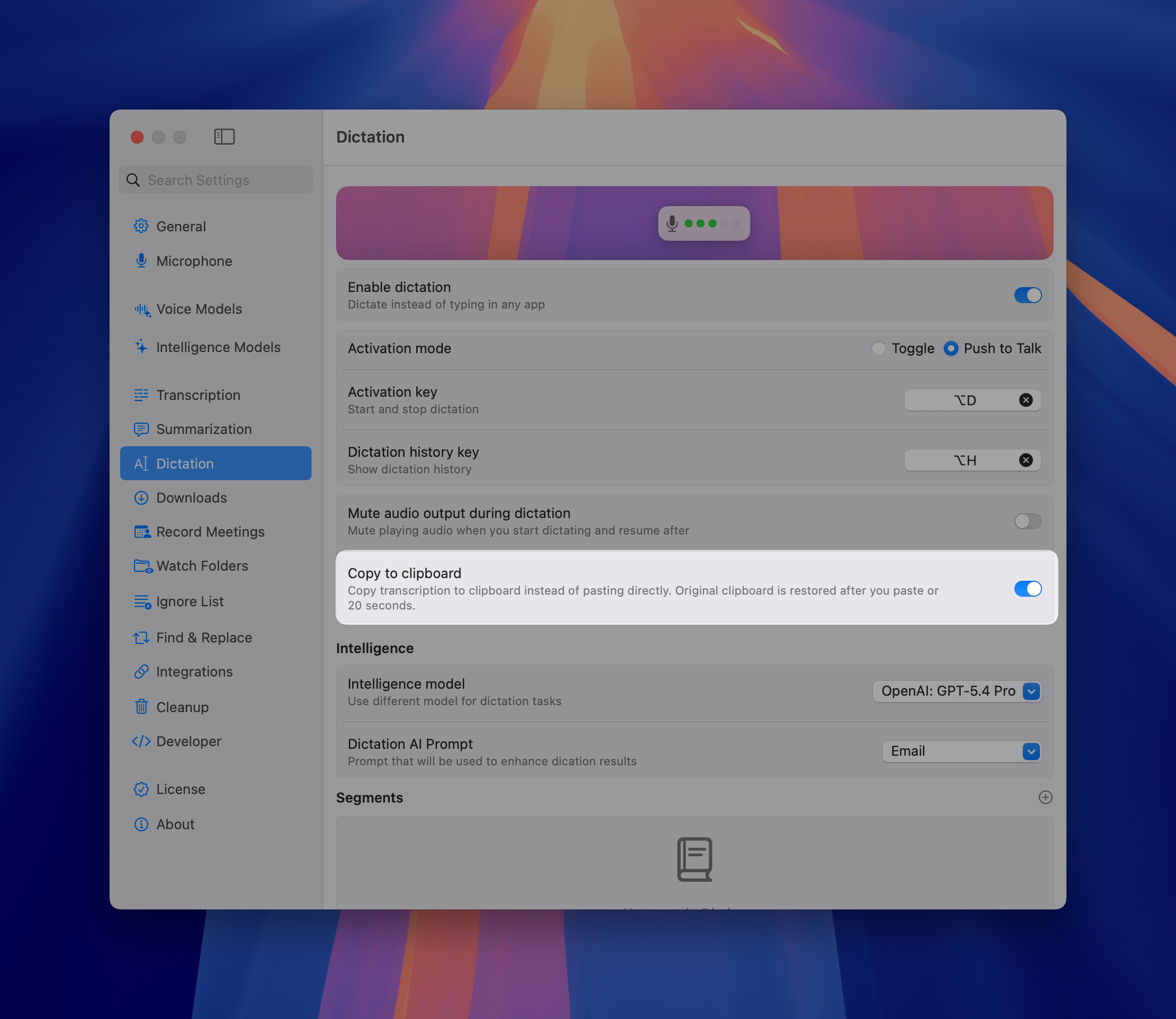
Automatic Dictation to Clipboard
Enable automatic copying of dictation results to your clipboard. Instantly paste transcribed text into any application with Cmd+V. Eliminates the extra step of manually copying from QuickWhisper Dictation History.
Go to Settings → Dictation → Copy to clipboard
As always, we're committed to making QuickWhisper the most reliable and powerful transcription tool for your workflow. Thank you for your continued feedback and support!
The QuickWhisper Team
February 20th, 2026
We're thrilled to announce QuickWhisper 1.25 - a release built for power users, developers, and anyone who wants deeper control over their transcription workflow. This update brings custom model support, a local API server, and seamless integrations with AI agents.
New Features
Add Custom Whisper Models (GGML format)
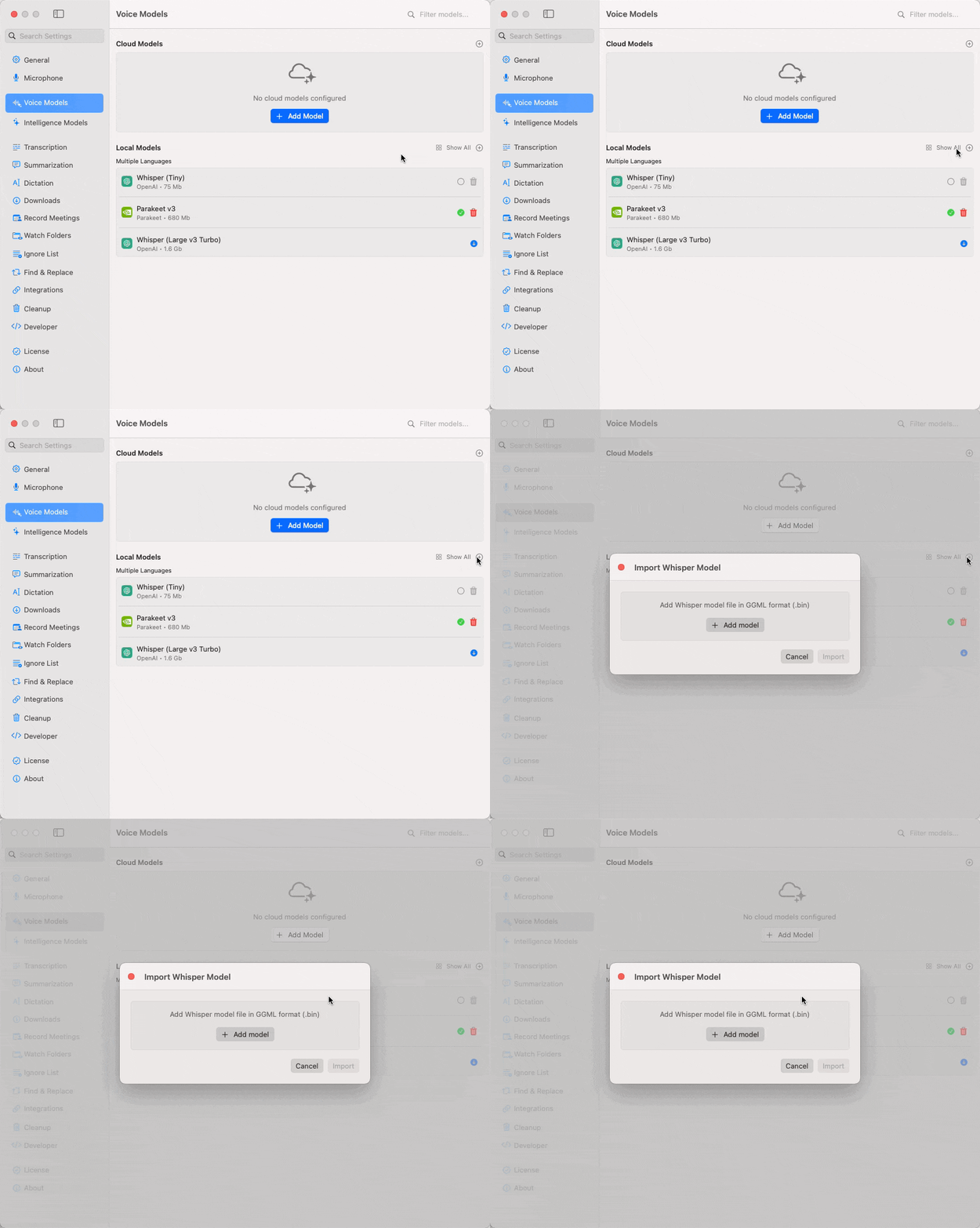
QuickWhisper now supports importing custom Whisper models in GGML format. Download any fine-tuned model from popular hubs like HuggingFace and load it directly into QuickWhisper. This long-awaited feature is a game-changer for users working with specialized vocabularies, niche languages, or domain-specific content where standard Whisper models fall short.
Developer Mode & Local REST API
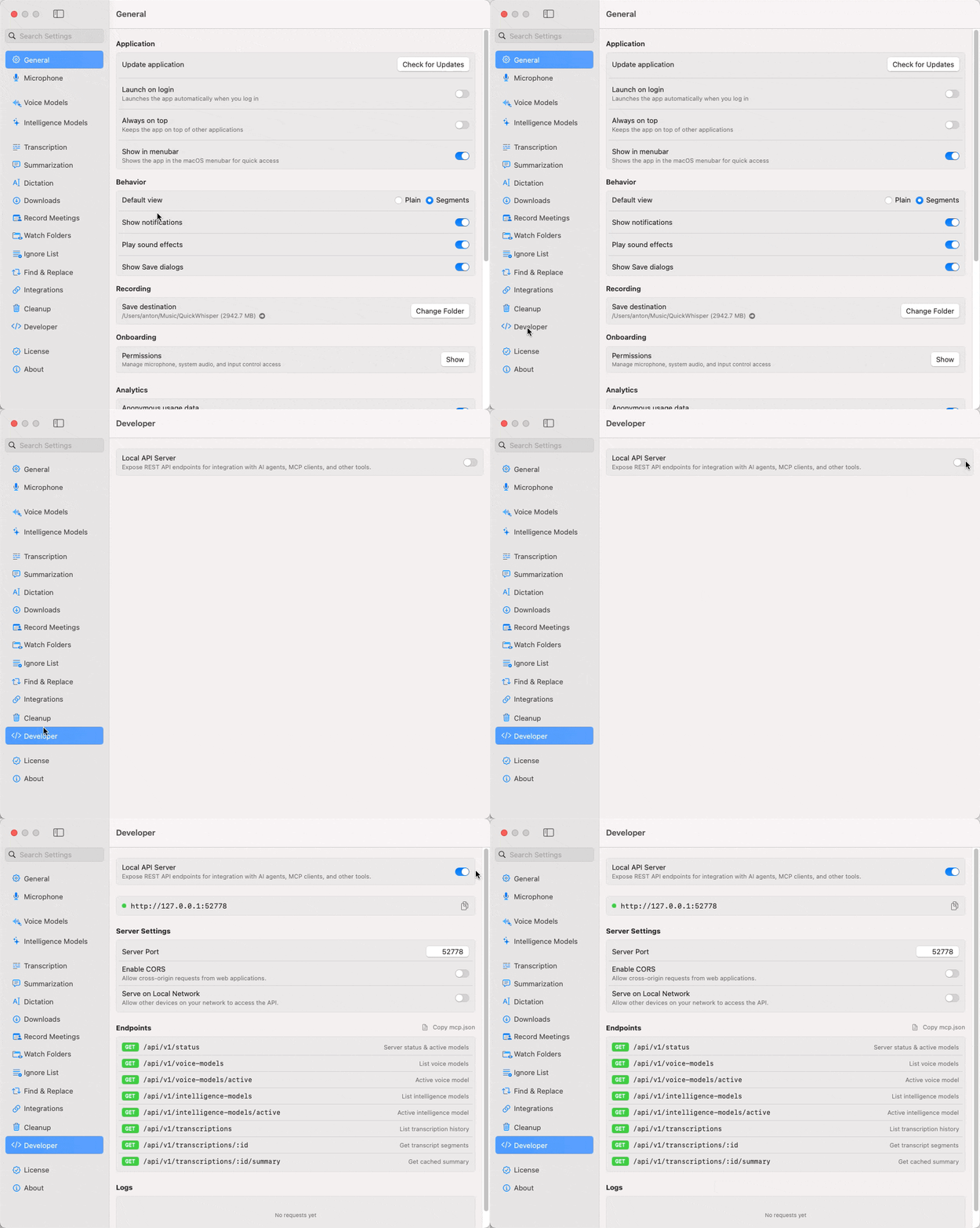
This is one we're extremely excited about. Spin up Local API Server inside QuickWhisper. This gives third-party tools and scripts programmatic access to your transcripts and summaries. Even better, you can copy a ready-to-use mpc.json configuration and paste it into your AI agent settings, turning QuickWhisper into a local tool for your AI workflows.
Deep Link Support
Open any specific transcript directly from an external link - no need to navigate through the UI. This is especially powerful when combined with the local API: query transcript IDs programmatically, then open them instantly via deep links for a seamless automated workflow.
Example:
quickwhisper://open?id=AF760979-EB59-49E2-891B-ECAABACDCB43Cloud Configuration Testing
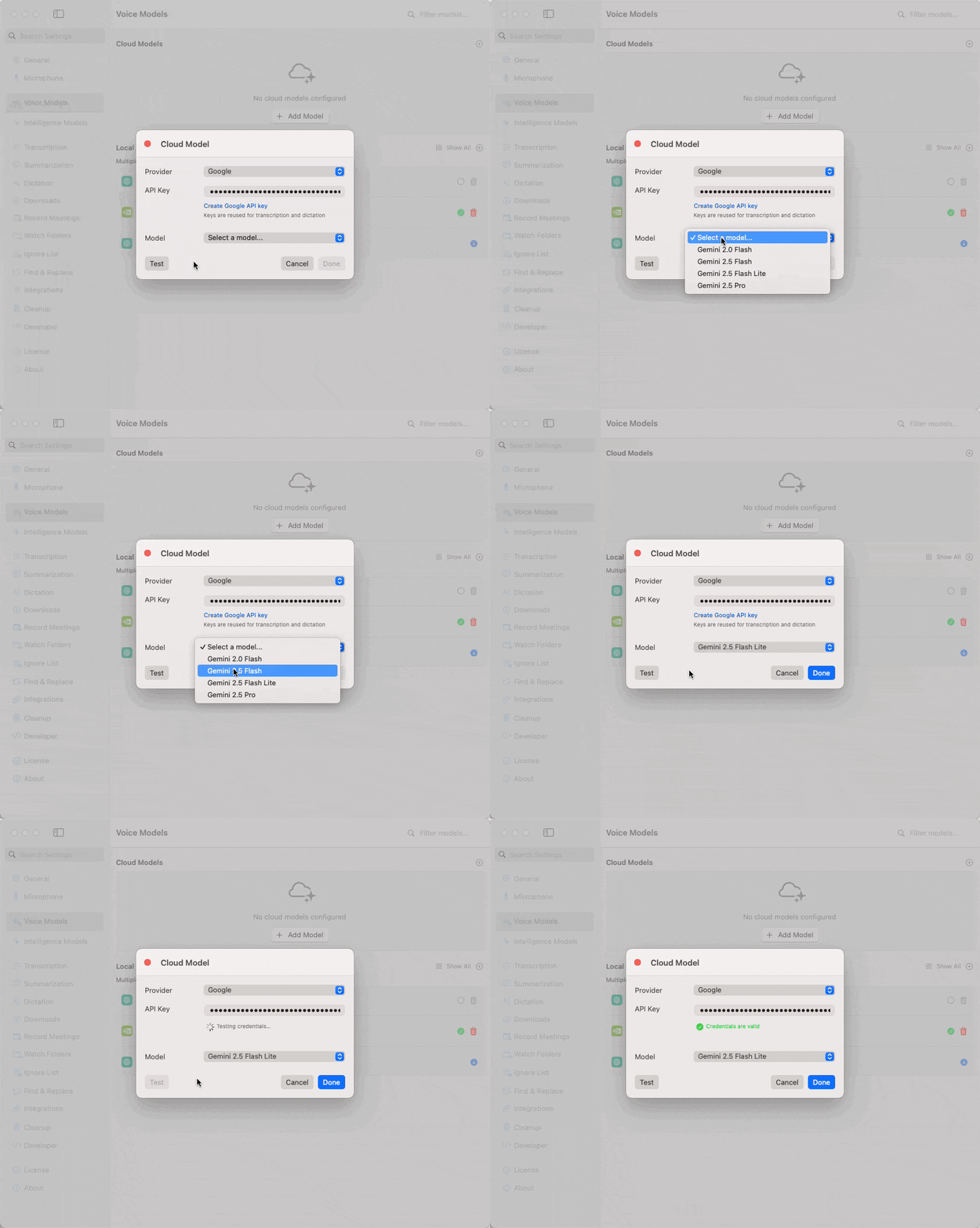
We've added a dedicated test button for both Cloud Voice Models and Cloud Intelligence models. Instantly verify that your API credentials are correct and that a connection to your cloud provider can be established. This dramatically improves the configuration experience and helps you catch errors early.
These features mark a significant step toward making QuickWhisper not just a standalone app, but a core building block in your broader productivity and AI toolchain. As always, we welcome your feedback and suggestions for future improvements!
The QuickWhisper Team
February 20th, 2026
We're pleased to announce QuickWhisper 1.24, focused on reliability and performance.
Multiple stability and performance enhancements across transcription and LLM enhancement
February 4th, 2026
We're excited to announce QuickWhisper 1.23, featuring advanced microphone management, enhanced intelligence model flexibility, automatic summarization, and improved integrations!
New Features
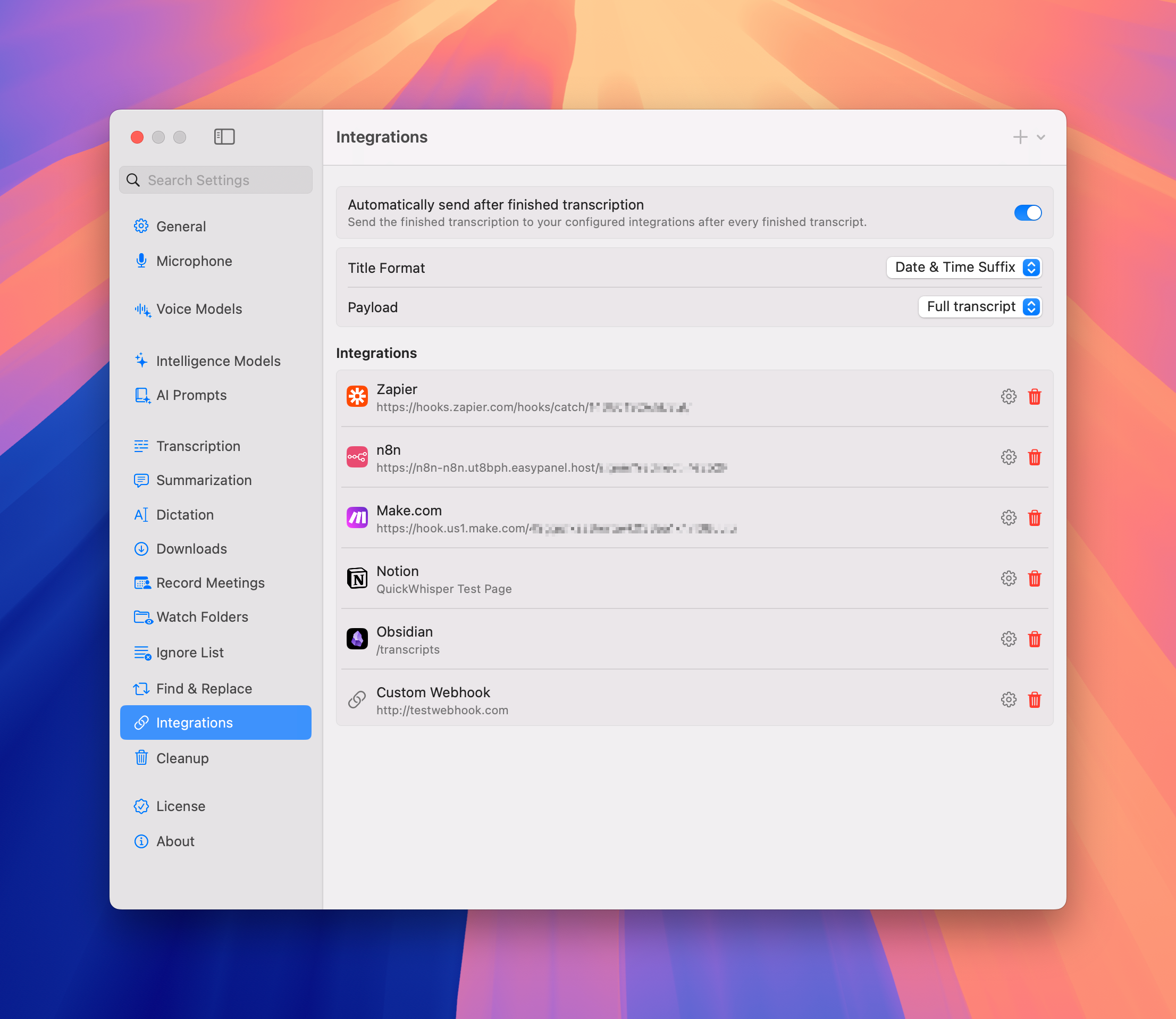
Expanded Integrations
QuickWhisper now features built-in integrations with popular productivity platforms:
• Zapier
• N8N
• Notion
• Obsidian
• Make.com
Our existing custom webhook support has been preserved and enhanced with a new, intuitive interface for easier configuration.
Separate LLMs for different tasks
Now you can select different AI models for Summarization (smarter model) and Dictation (faster model). This allows you to optimize performance and cost by matching the right model to each specific task.
 |  |
AI Title Suggestions
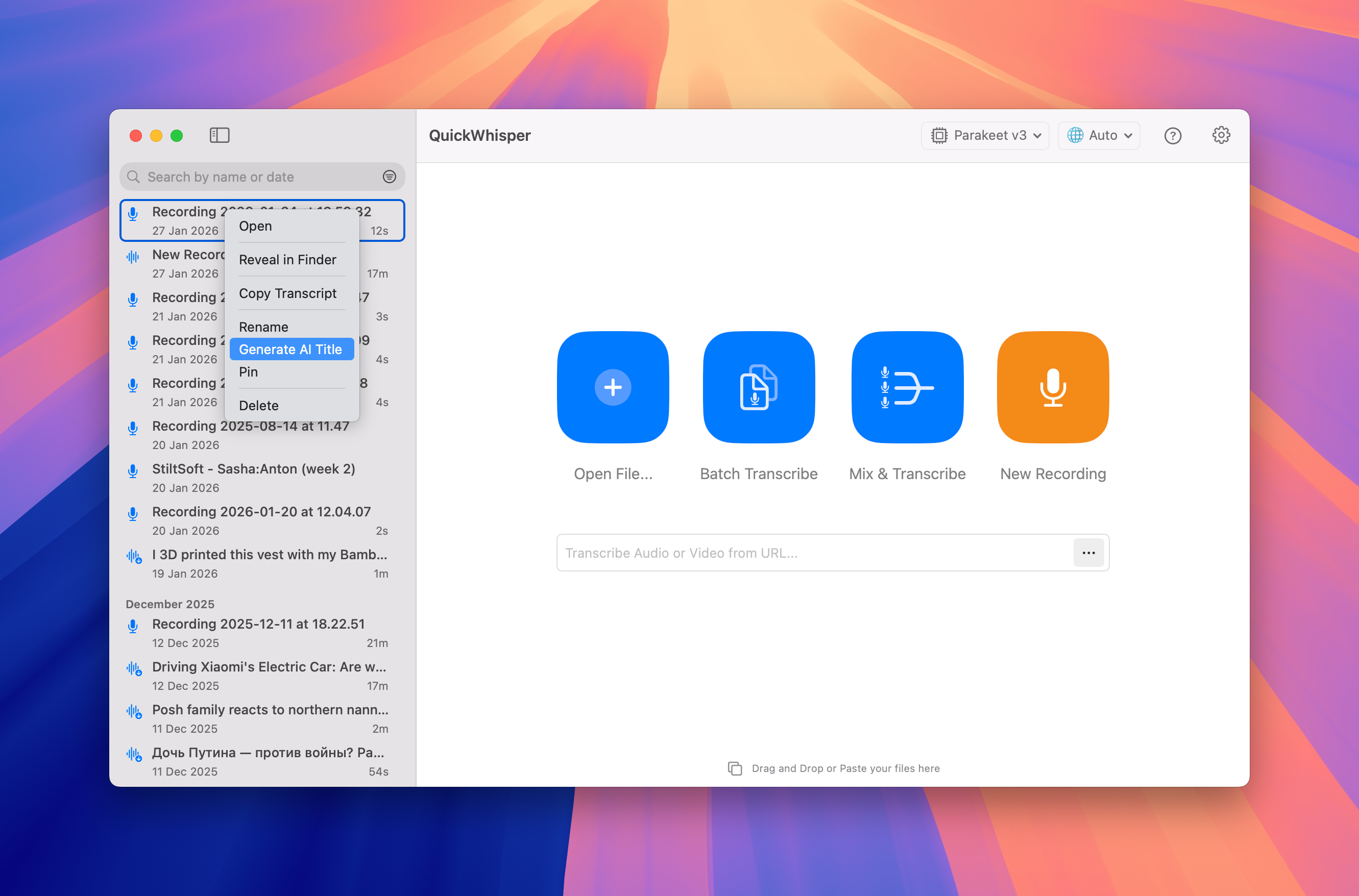
QuickWhisper now automatically analyzes your transcription content to suggest relevant, descriptive titles. This intelligent feature saves you time and mental energy when organizing your recordings, ensuring your transcripts are easily identifiable and searchable with minimal effort. To try the feature, Select transcription in the History list → Context menu → AI Title Suggestion
Automatic Summarization
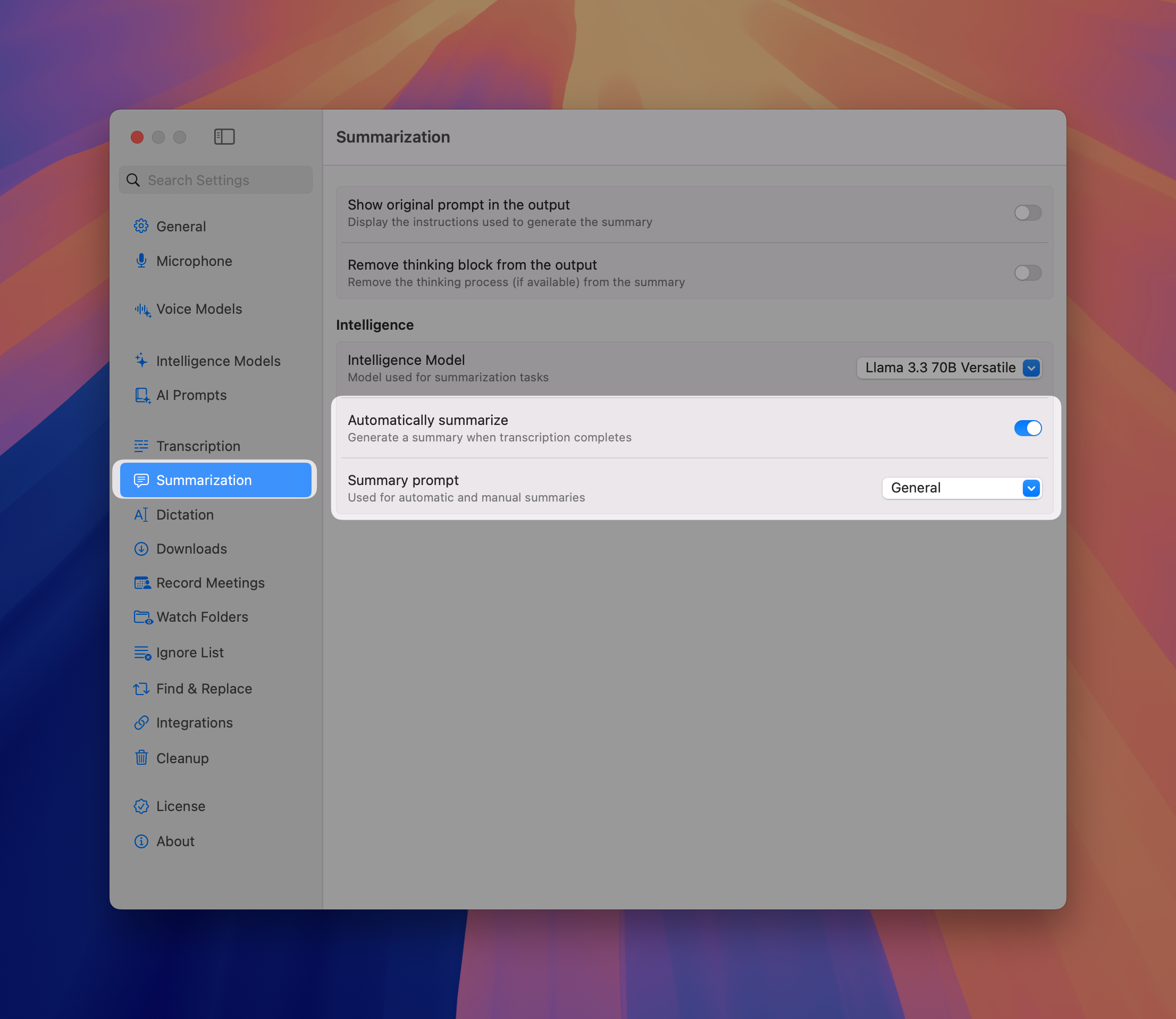
Enable automatic summarization to have your recordings immediately processed after transcription. Simply select your preferred AI prompt, and QuickWhisper will generate summaries without requiring manual intervention.
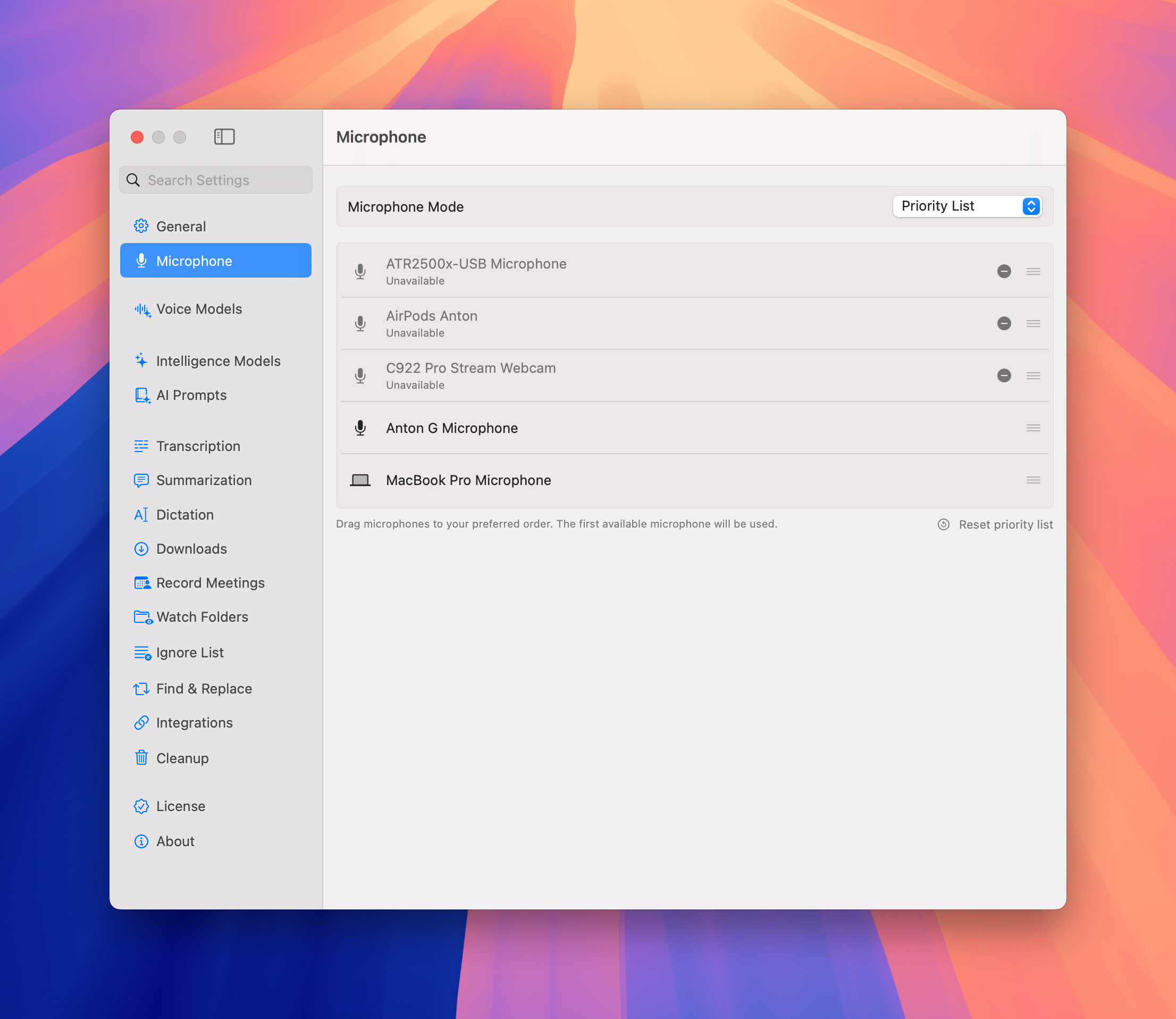
Advanced Microphone Management
Gain unprecedented flexibility with our new microphone settings:
System Default Mode - Automatically use your system's currently default microphone
Fixed Microphone Mode - Lock to a specific device with automatic fallback to system default when unavailable
Priority List Mode - Create a custom hierarchy of preferred microphones, even for disconnected devices. Perfect for podcasters, content creators, and professionals who work across multiple setups and locations.
Robust YouTube downloads
We've significantly improved our video download capabilities, with particular enhancements for YouTube content downloading. Enjoy higher quality audio extraction and more reliable downloads across all video sources.
January 20th, 2026

We're thrilled to present QuickWhisper 1.22, delivering unprecedented on-device capabilities and expanded AI options that put you in complete control of your transcription workflow!
New Features
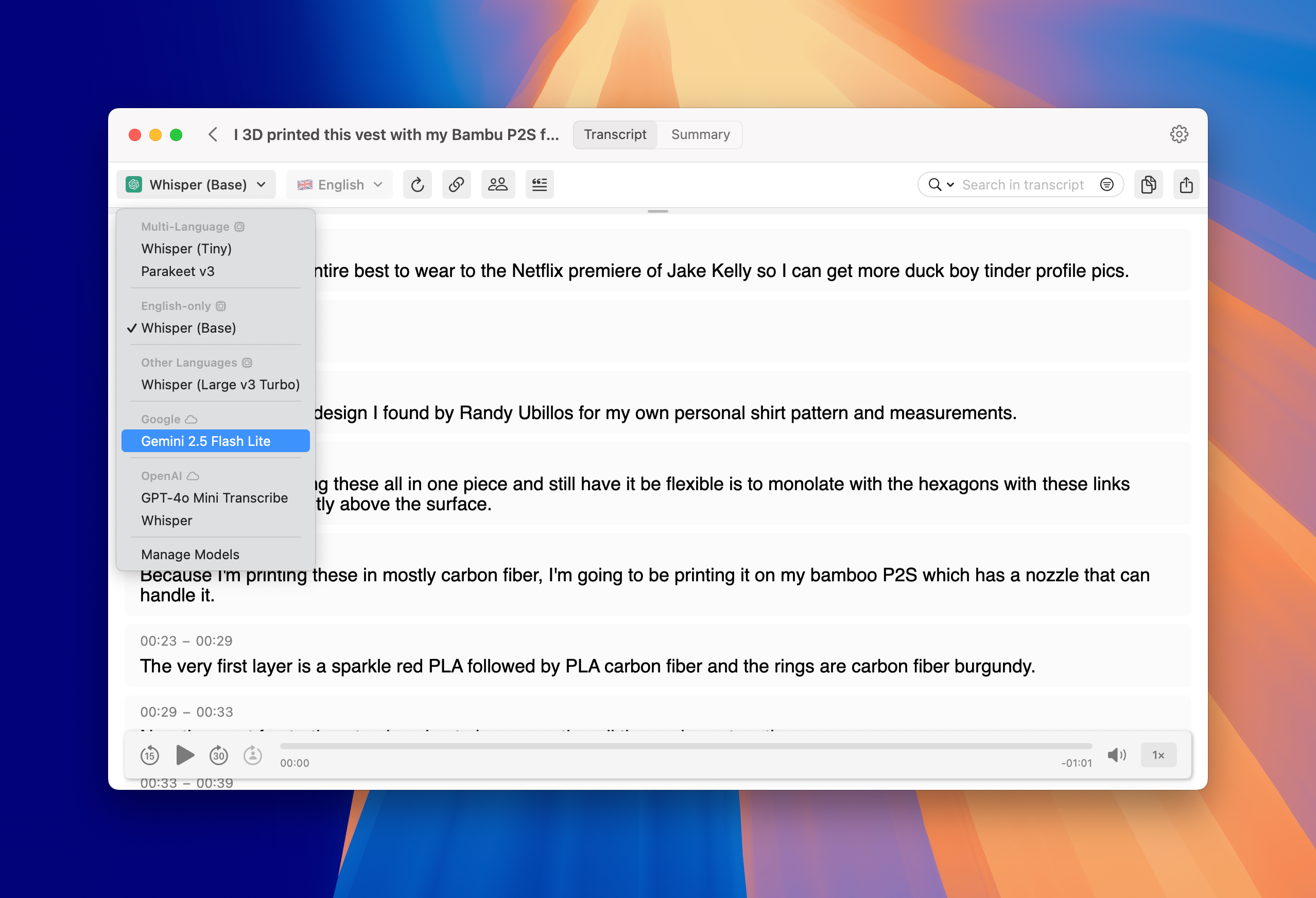
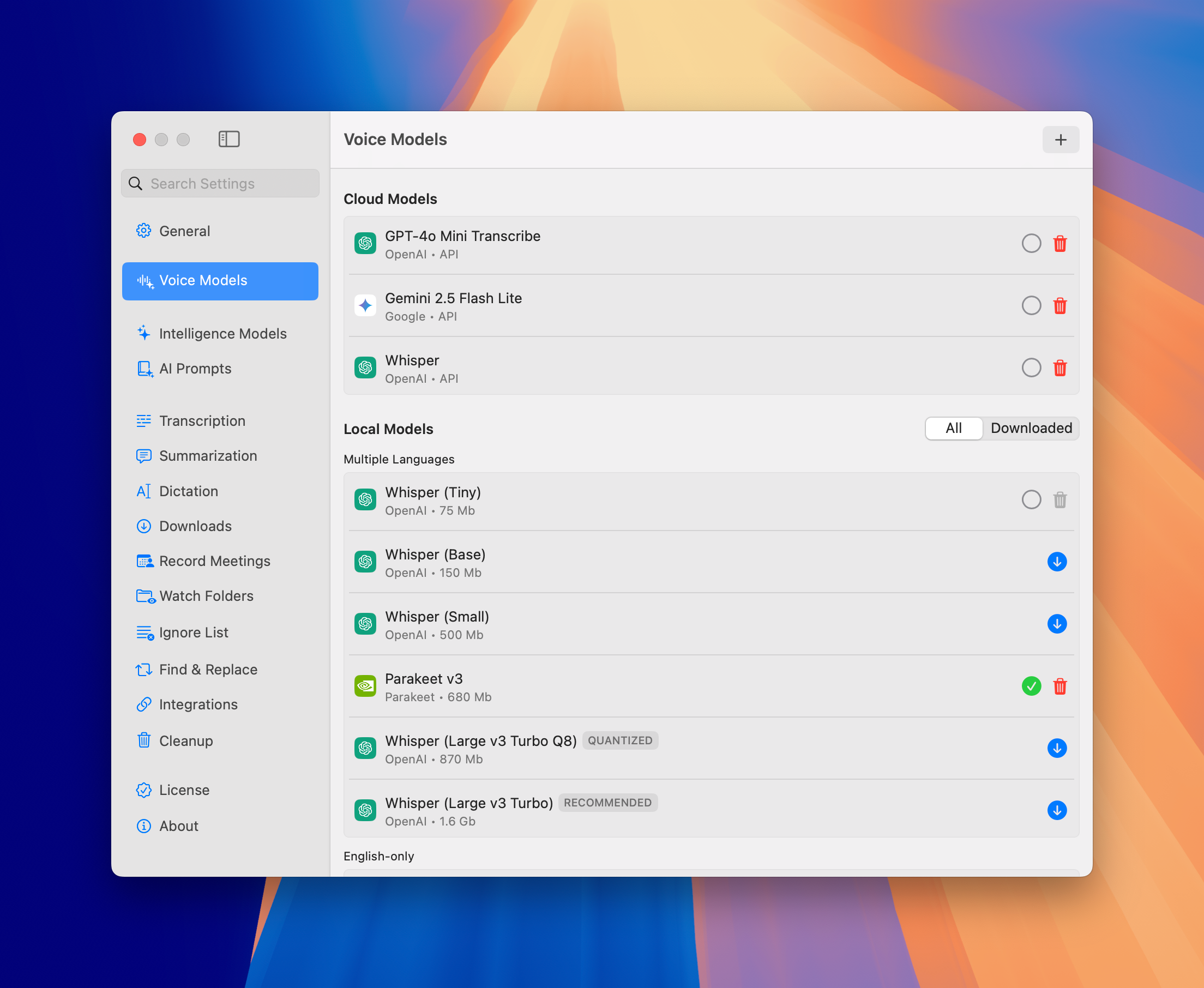
Cloud Transcription Providers
QuickWhisper now seamlessly integrates with leading cloud transcription providers, giving you more options for fast, high-quality transcriptions. Simply add your existing API keys from any of our supported services:
• OpenAI
• Google
• DeepGram
• ElevenLabs
• Groq
This integration offers an ideal solution for users who already have cloud transcription subscriptions or require specialized transcription capabilities for specific use cases.
Smart Dictation Modes
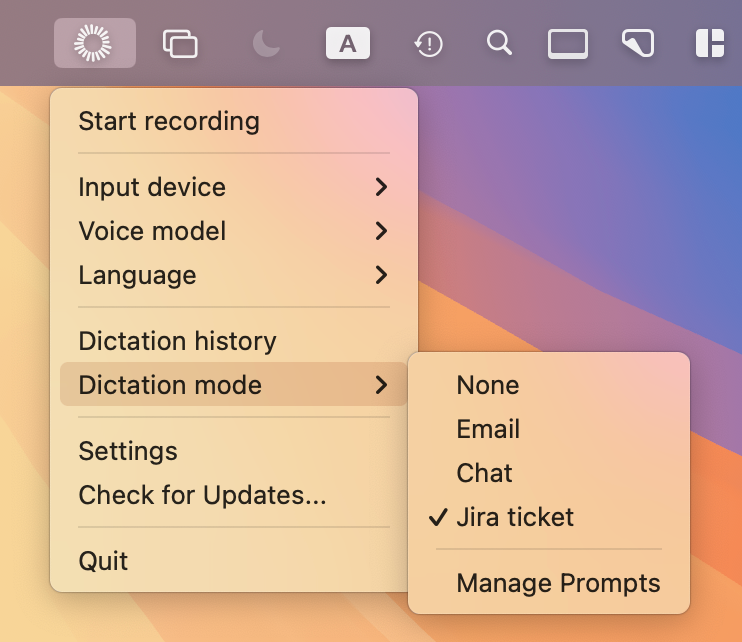
Transform how you capture thoughts with our intelligent dictation modes! Each dictation can now be automatically processed through customizable AI prompts that instantly format your spoken words for specific purposes.
We've included some pre-built prompts, but you can easily create and save your own to match your unique workflow needs. Instantly switch between modes to optimize for different writing styles and contexts.
You can create Dictation AI prompts via Settings → AI Prompts and select active Dictation Mode via System bar icon (as shown below)
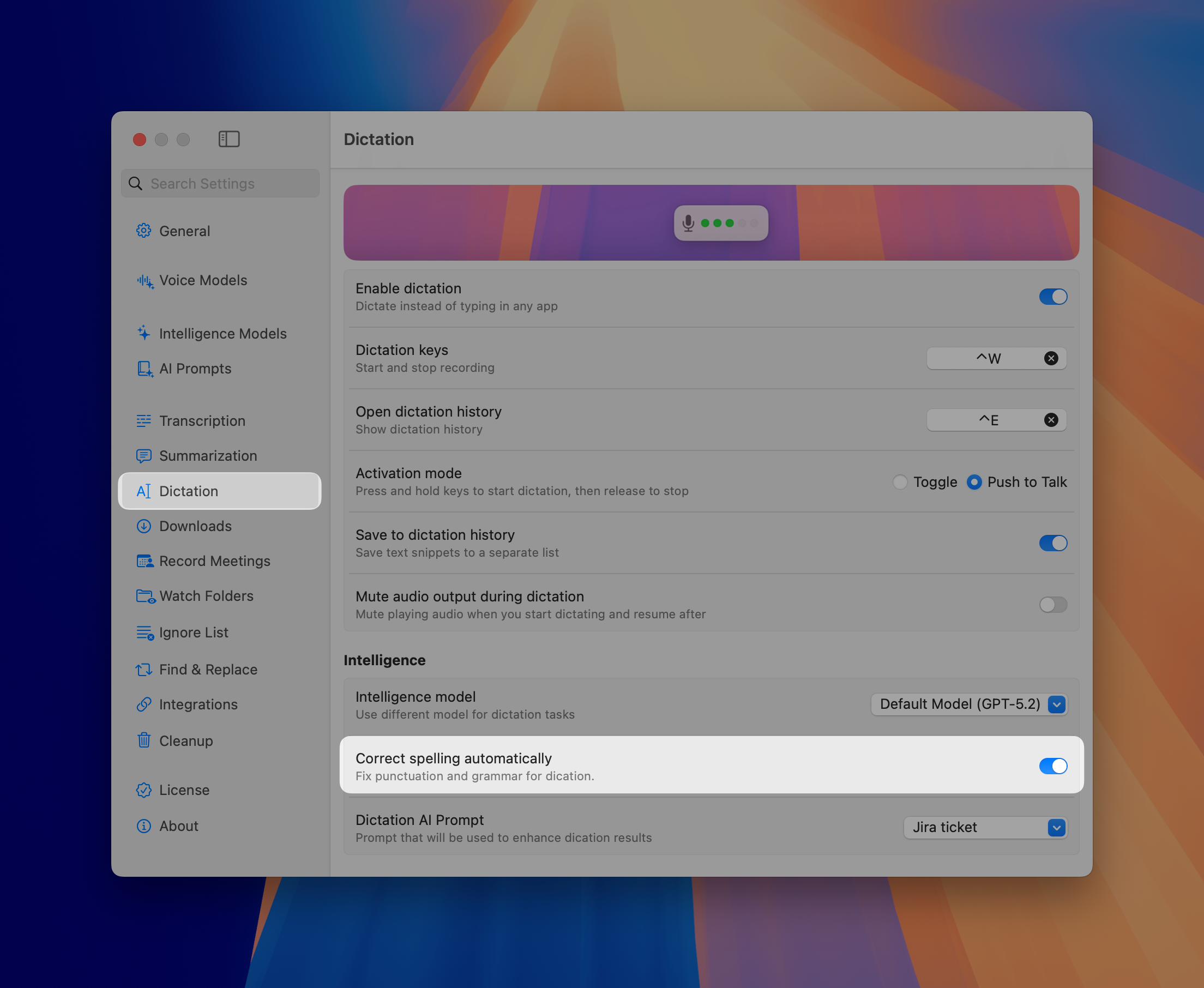
Dictation Grammar Enhancement
Speak naturally and let our Intelligence model handle the details! QuickWhisper now automatically refines your dictated text with proper grammar and correct sentence structure.
This feature ensures your dictations look professional without requiring additional editing steps, saving you valuable time and maintaining your creative flow.
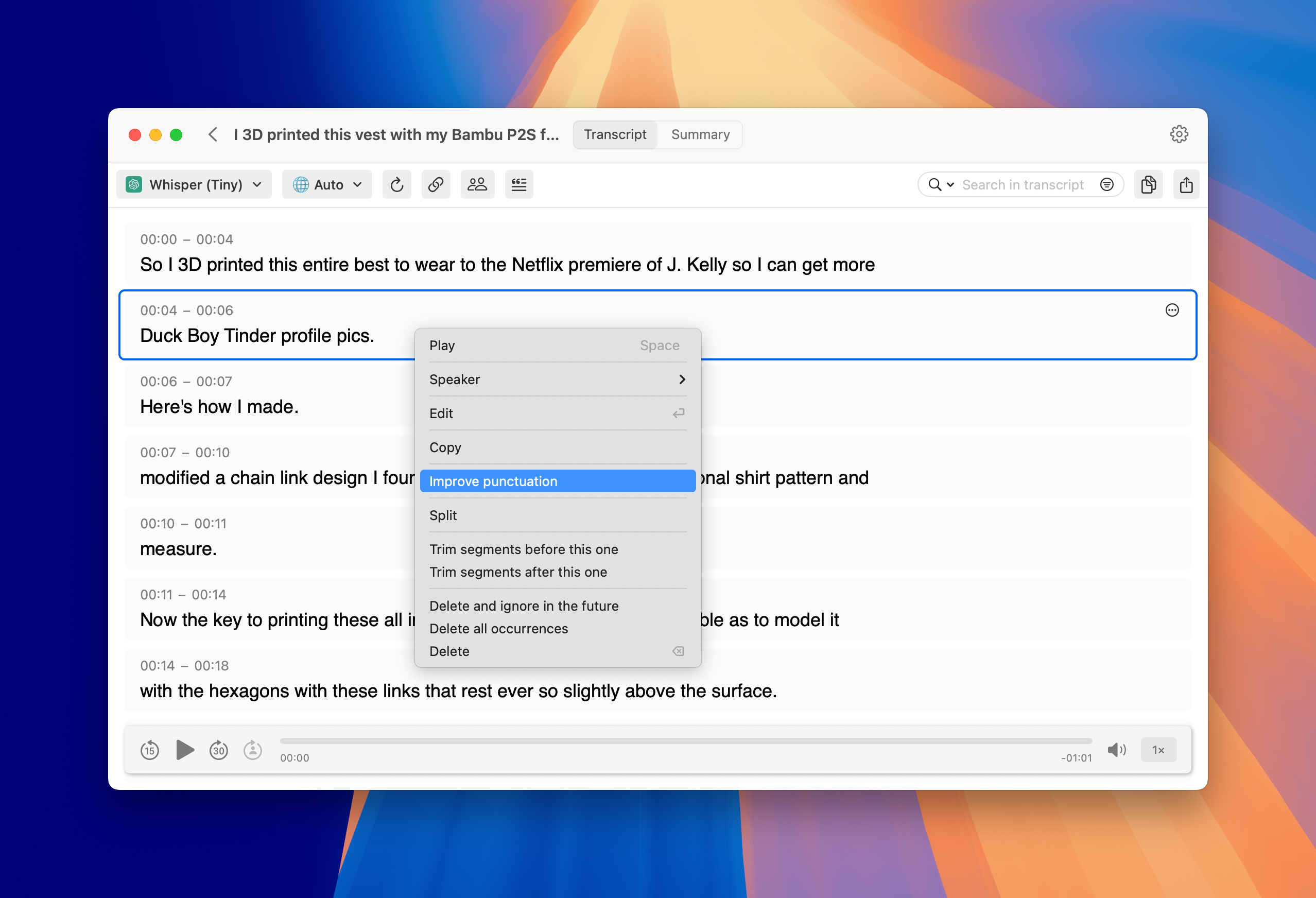
Segment-Level Grammar Enhancement
Enhance the quality of your transcriptions at the segment level. If voice model results aren't perfect, you can now apply Intelligence model processing to specific segments to correct grammar and improve readability.
Improvements
Enhanced Stability & Bug Fixes
We've implemented numerous stability improvements and bug fixes throughout the application, resulting in:
More reliable performance during Batch transcription
More stable downloads from Youtube
Reduced memory usage for better system resource management
December 2nd, 2025
We're thrilled to present QuickWhisper 1.18, delivering unprecedented on-device capabilities and expanded AI options that put you in complete control of your transcription workflow!
🎉 BLACK FRIDAY SALE! (20 Nov - 5 Dec 2025)
Use code BFRIDAY25 for 65% discount for QuickWhisper Pro
New Features
Enhanced AI Model Support
Anthropic Claude Opus 4.5 - Access the latest Claude model for even more accurate and nuanced AI summaries and insights.
Docker Model Runner Integration - Connect to your local AI models running in Docker for complete privacy and customization options
Bug Fixes & Performance Enhancements
We've made significant improvements to QuickWhisper's performance:
Fixed duplication of history items
Resolved memory management issues for better stability during large transcriptions
Fixed activation problems of higher Pro license tiers
November 28th, 2025
We're thrilled to present QuickWhisper 1.18, delivering unprecedented on-device capabilities and expanded AI options that put you in complete control of your transcription workflow!
🎉 BLACK FRIDAY SALE! (20 Nov - 5 Dec 2025)
Use code BFRIDAY25 for 65% discount for QuickWhisper Pro
New Features
Apple On-Device Transcription
Experience the power of Apple's built-in transcription capabilities in macOS 26.
We've integrated Apple's native transcription model that comes pre-installed on your Mac - no downloads required. This highly efficient voice model delivers Parakeet-like speed while benefiting from Apple's continuous quality improvements.
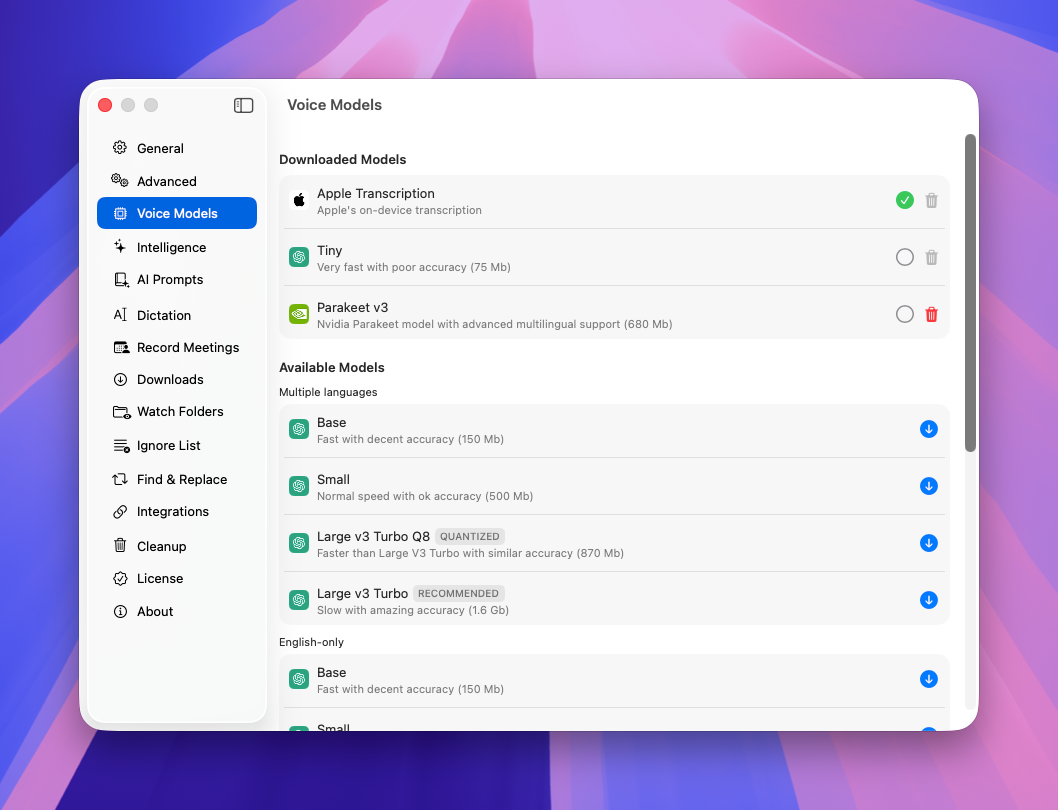
On-Device AI Summaries
Take full control of your data with our on-device AI summaries!
QuickWhisper now supports Ollama and LM Studio as local LLM providers, enabling you to generate high-quality summaries entirely on your Mac. This feature eliminates dependencies on AI cloud services, providing complete privacy and self-sufficiency for users who prefer to keep sensitive information local.
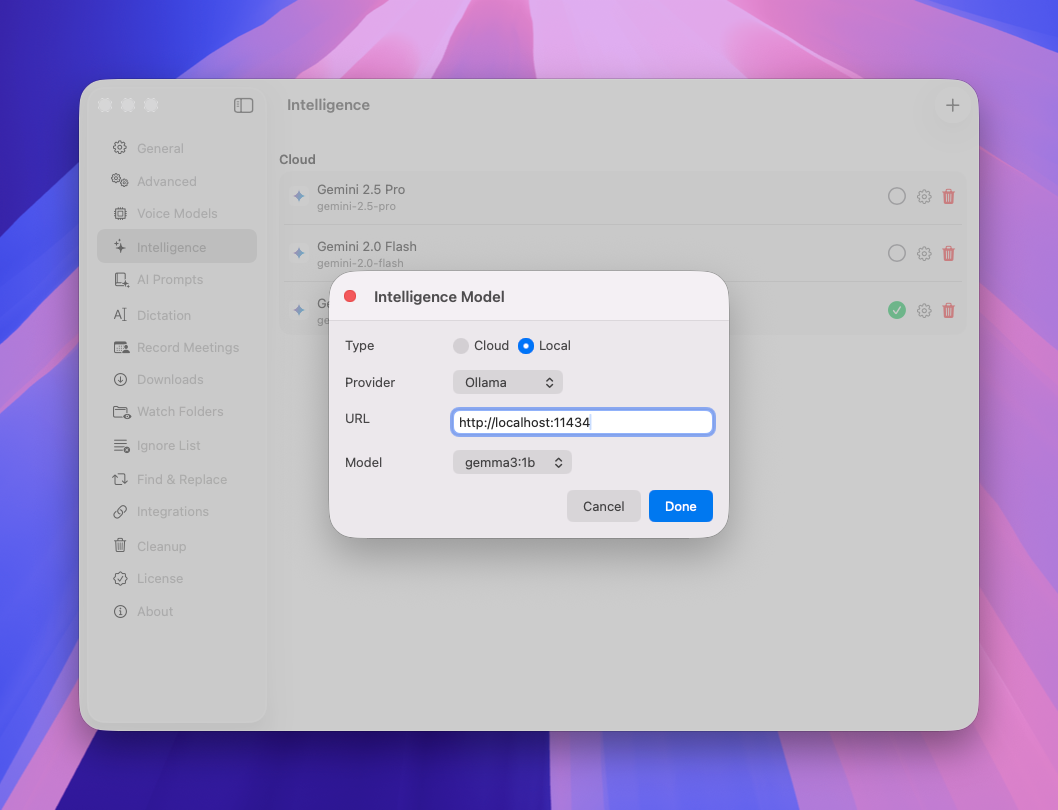
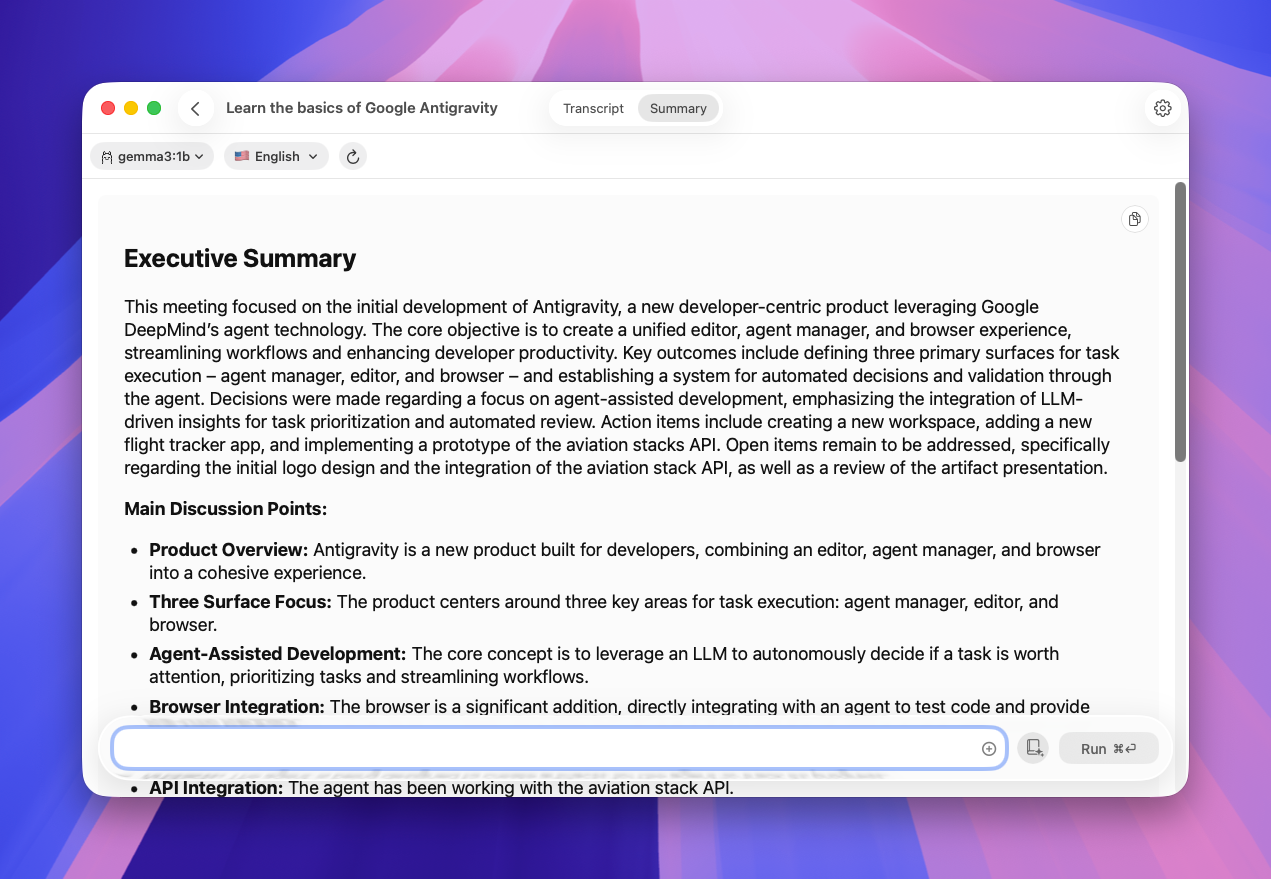
New Cloud AI Providers
Choose the right AI service with our extended AI providers list!
In addition to our existing integrations with OpenAI, Anthropic, Google, and OpenRouter, QuickWhisper now supports LLMs from xAI, Mistral AI, and Groq. This selection gives you flexibility to select the provider that best matches your performance and cost requirements.
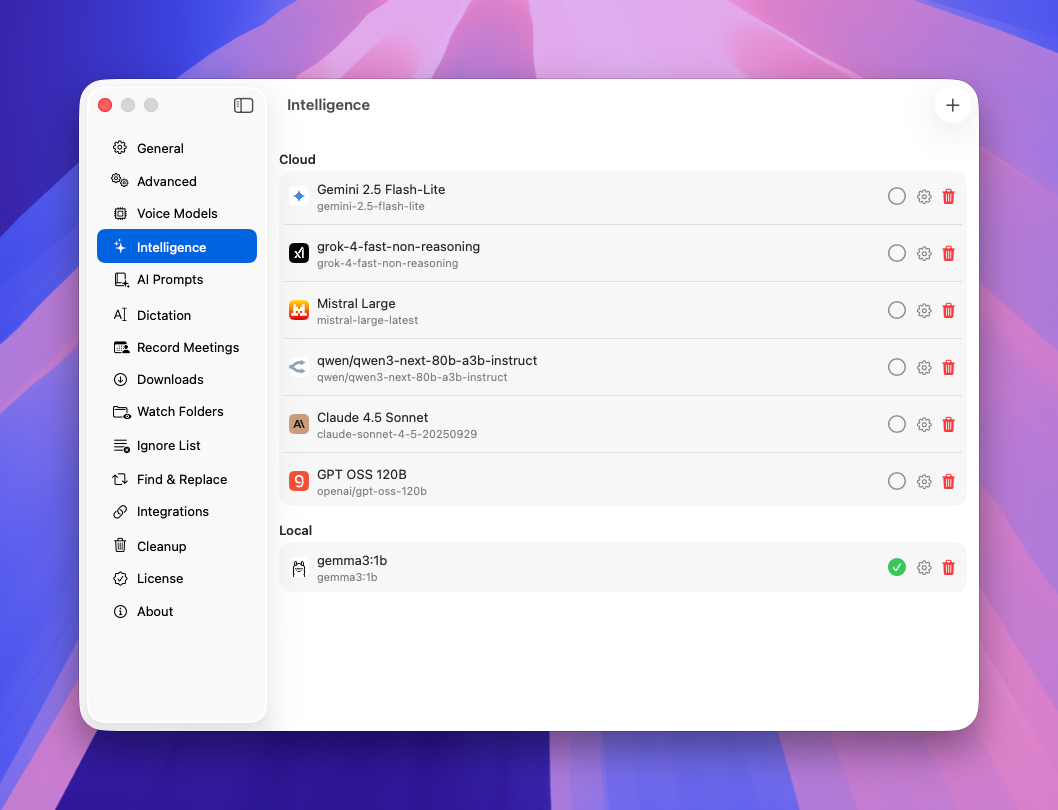
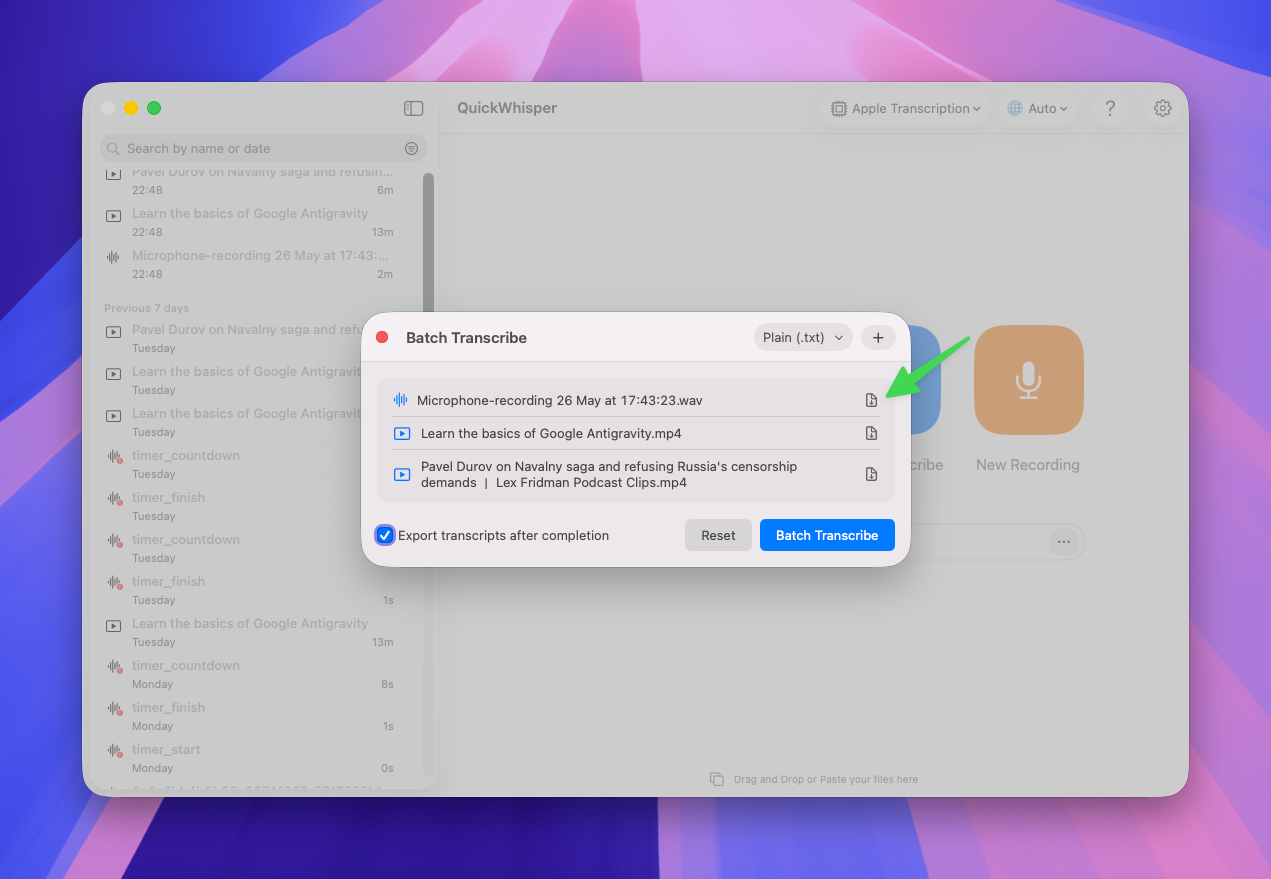
Enhanced Batch Transcription
We've added an option to save individual transcripts for each transcript for the batch.
Expanded Audio Format Support
Work with virtually any audio format!
QuickWhisper now elegantly manages audio formats not natively supported by macOS, like WMA files. After the necessary transcoding, QuickWhisper will allow you to playback these recordings directly alongside the transcriptions.