September 19th, 2025

QuickWhisper 1.13
We're thrilled to introduce QuickWhisper 1.13, bringing powerful new editing tools, automatic cleanup, and enhanced recording controls to make your transcription workflow even more efficient!
New Features
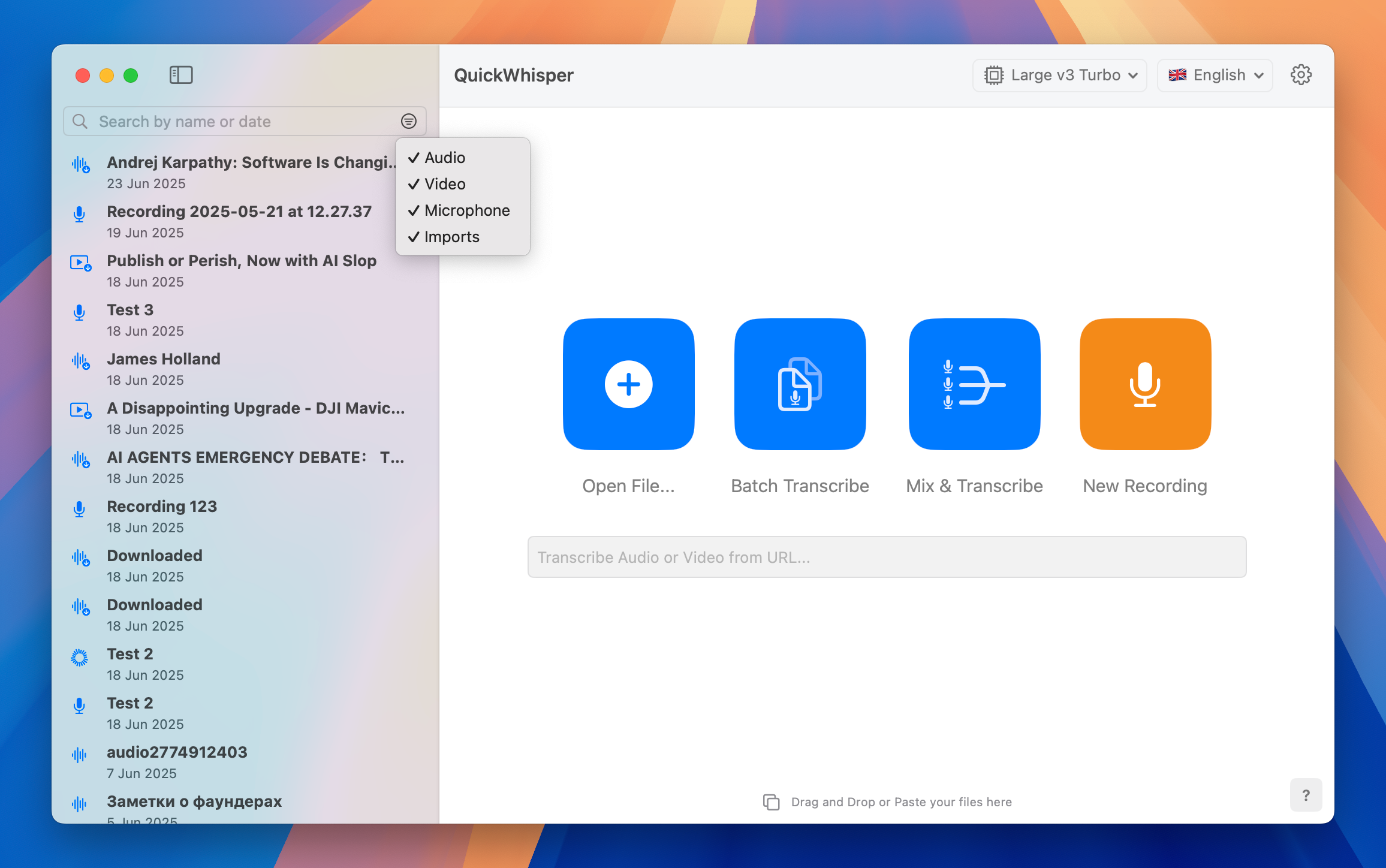
Filter History by Item Type
Navigate your transcription history with ease! The new filtering system allows you to instantly sort your history by item type, helping you quickly locate specific recordings. Whether you're searching for videos, audio files, or voice recordings, these filters let you focus on exactly what you need without scrolling through unrelated content.
Split Segments
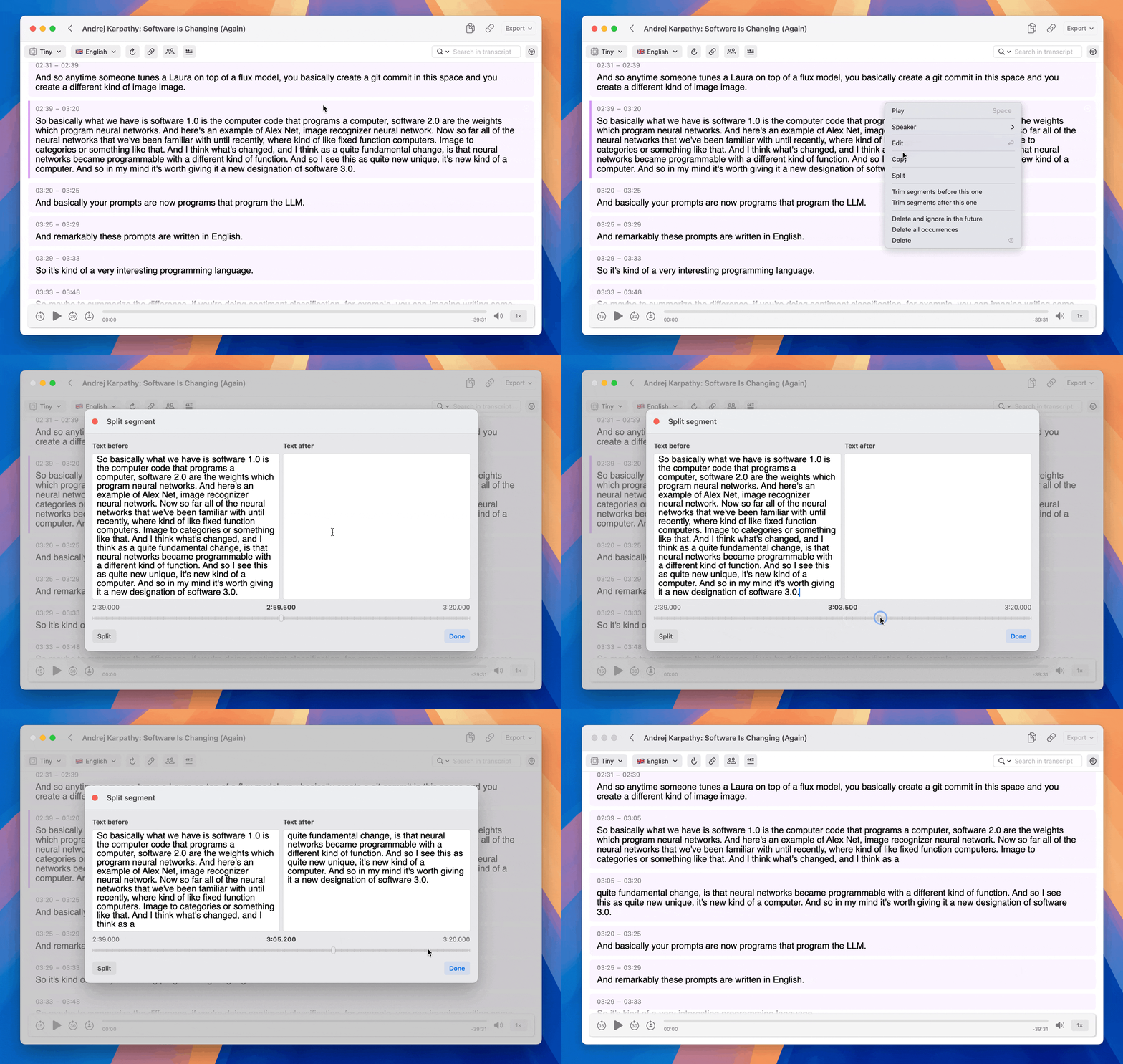
Take complete control of your transcripts with our new segment splitting feature. When faced with lengthy segments that are not correctly split by speakers, simply place your cursor at the desired segment and hit Split in the context menu. This intuitive editing feature gives you the flexibility to restructure your transcripts exactly how you need them.
Automatic Cleanup
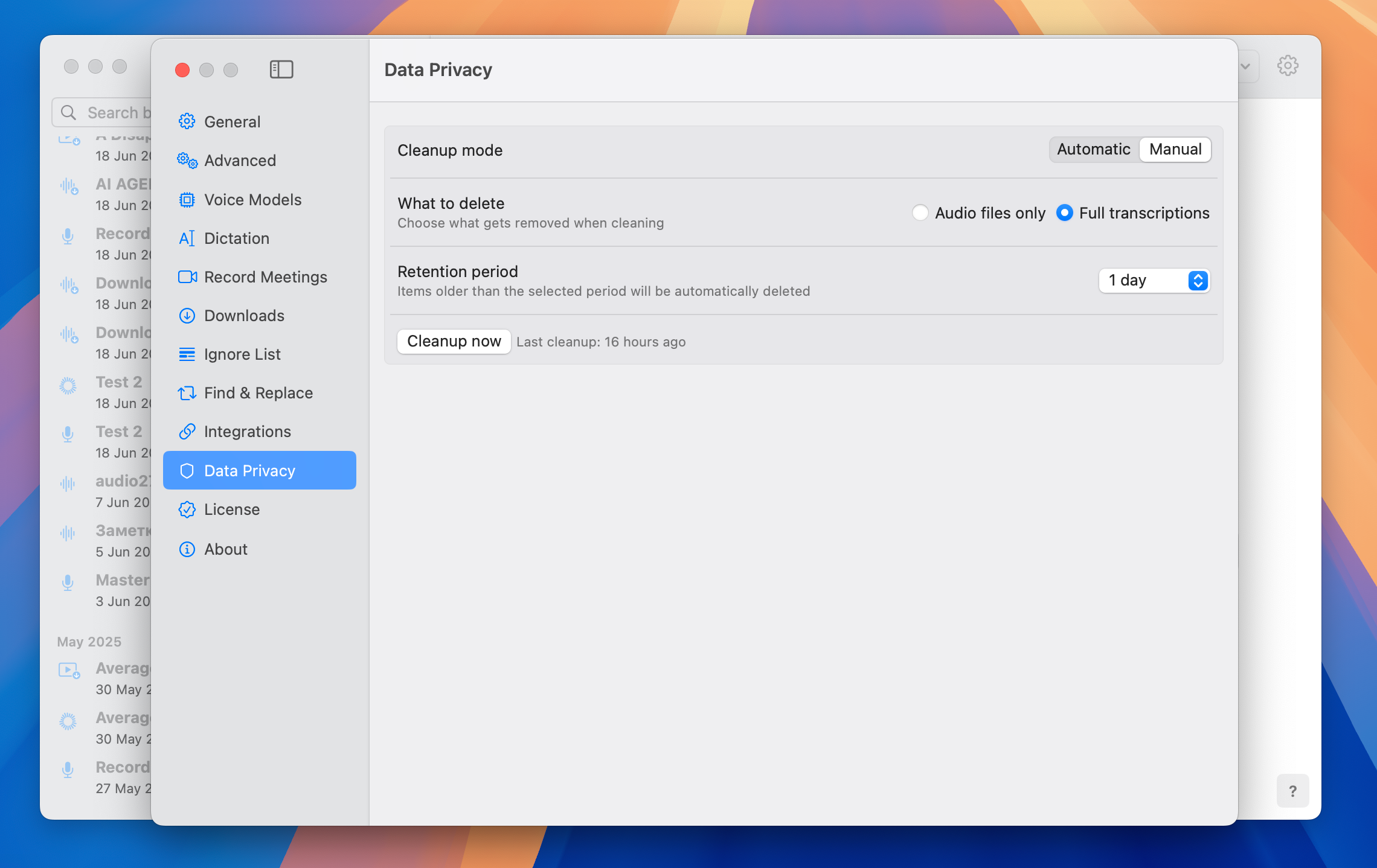
Take control of your data retention with our comprehensive cleanup tool. QuickWhisper now provides controls to manage your transcriptions based on your specific privacy needs. Remove transcriptions older than your chosen retention period, either manually when you choose or automatically on a schedule. Keep your workspace clean and your data protected without any hassle.
To try the cleanup feature got to Settings → Data Privacy
Preferred Audio Track Selection for YouTube
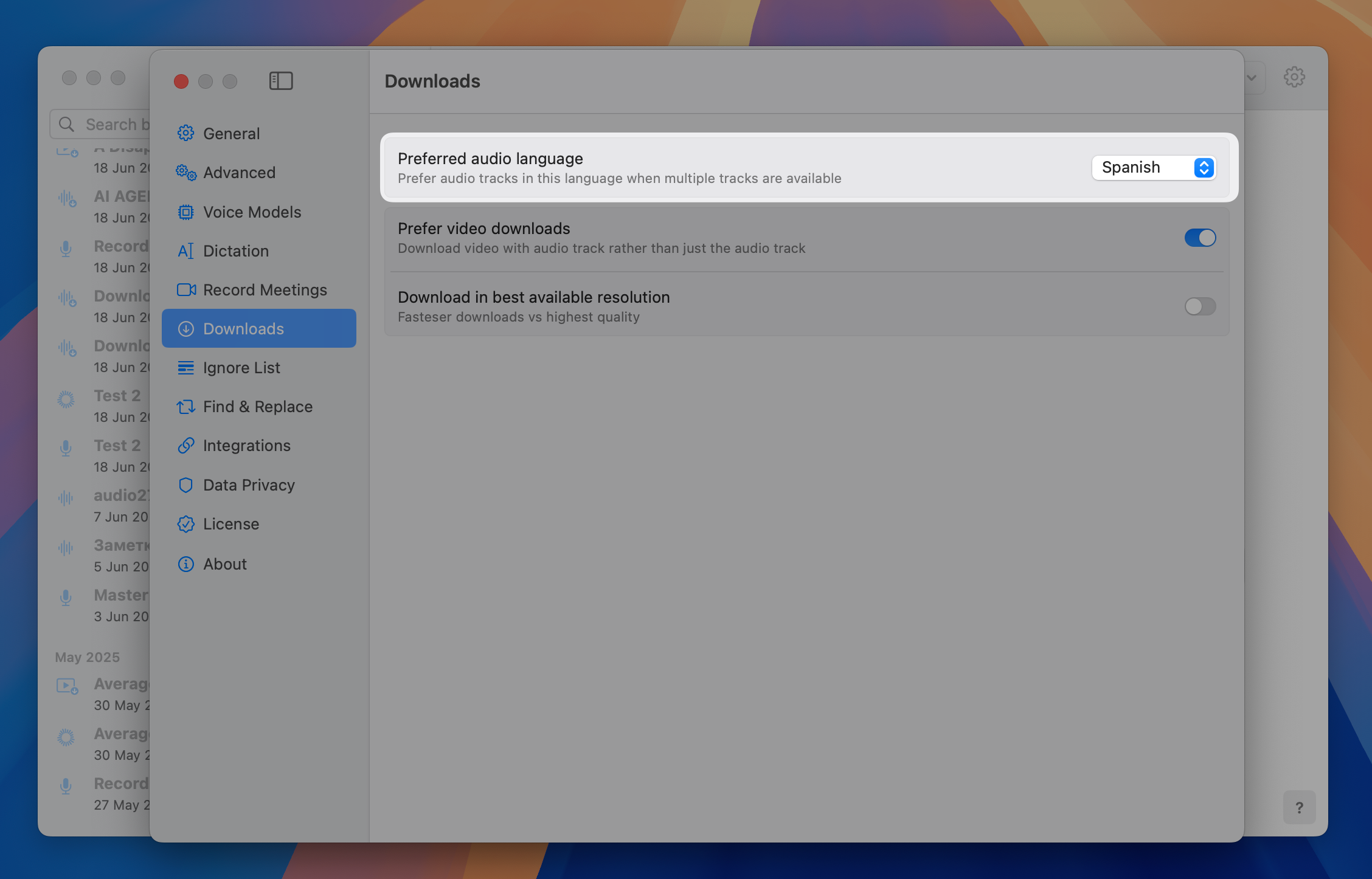
QuickWhisper now enables you to choose your preferred audio language of Youtube videos. This ensures you're always transcribing the audio-track in the language you intended.
To select preferred language go to Settings → Downloads → Preferred audio language
Audio Meters in Recording Panel
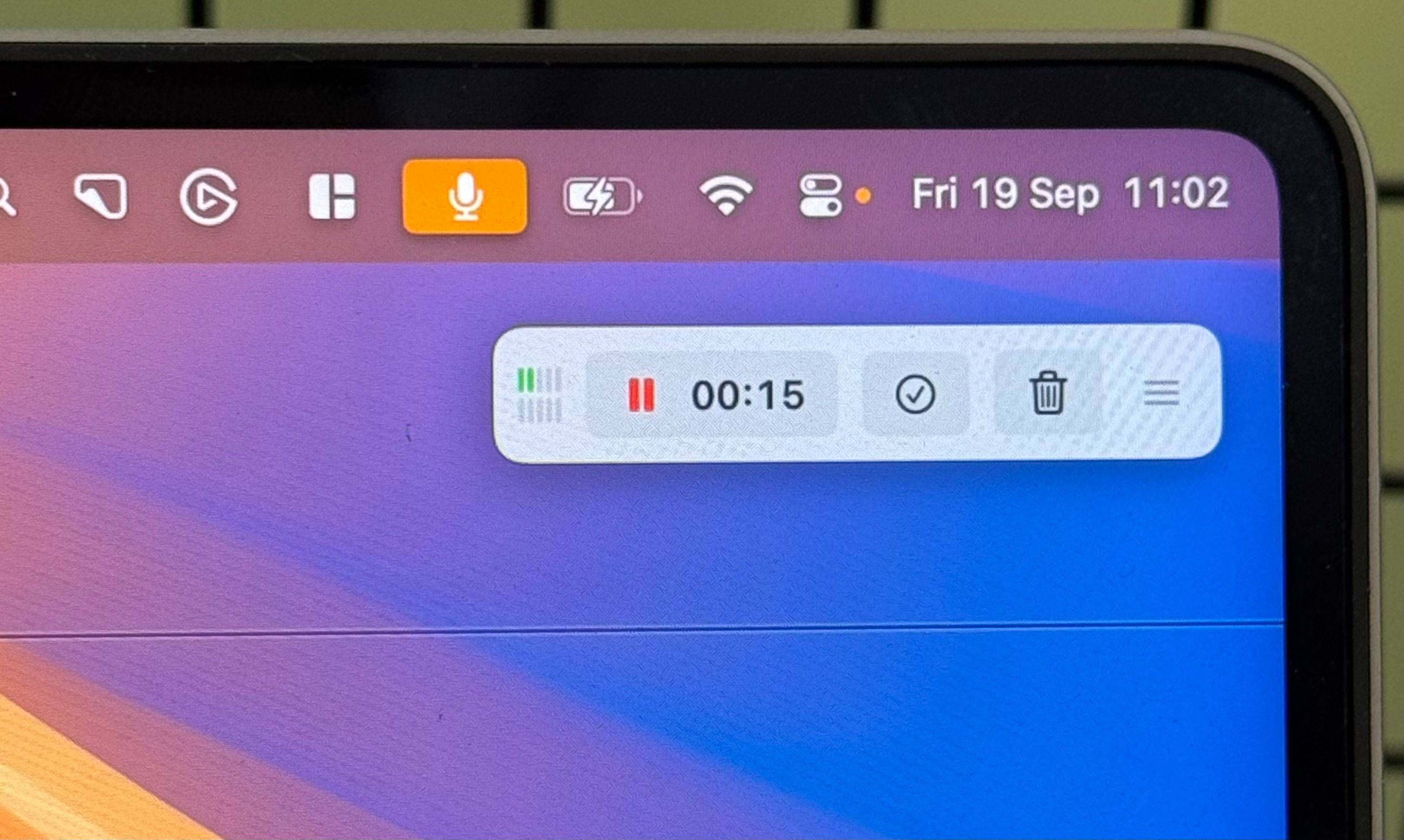
Never wonder if your audio is being captured properly during the meeting! The recording panel now has optional real-time audio levels for both your microphone and system audio. These indicators help you quickly identify issues like not working microphone, system audio silence due to permissions issues, etc.
To enable recording level, go to Settings → Record Meetings → Show recording levels
Enhanced Menubar
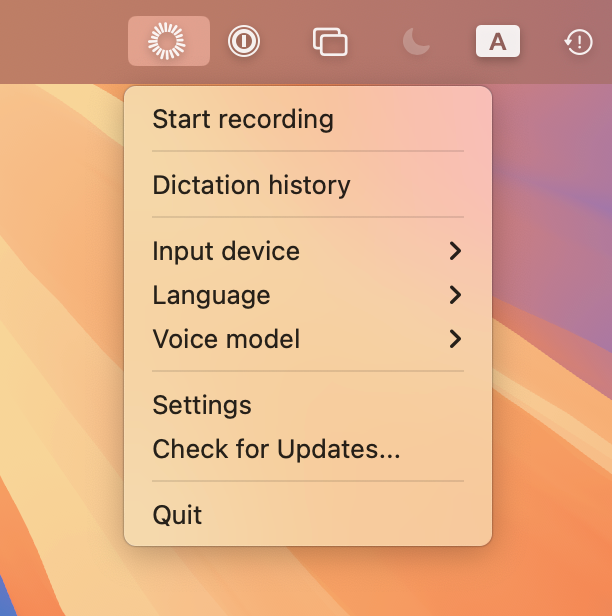
Work faster with our redesigned menubar menu! Now you can change Voice Model, Language, and Microphone settings directly from the menubar without opening the main application. This streamlined access to critical settings keeps your workflow uninterrupted.
Support for macOS 26
QuickWhisper 1.13 is fully optimized for macOS 26, ensuring you can enjoy all our powerful transcription features on Apple's newest operating system. We've carefully adapted our application to take advantage of the latest platform improvements while maintaining the performance and reliability you expect.
Improvements
Fixed Compatibility with USB and Bluetooth Microphones
We've resolved compatibility issues with microphones that use non-standard sample and bit rates. Users experiencing difficulties with certain USB and Bluetooth microphones will now enjoy seamless recording capabilities without limitations.
We'd love to hear your ideas! Drop us a line at support@quickwhisper.app or add your suggestions in the Feedback.